

Scriptable Sheets: a spreadsheet editor for Unity ScriptableObjects
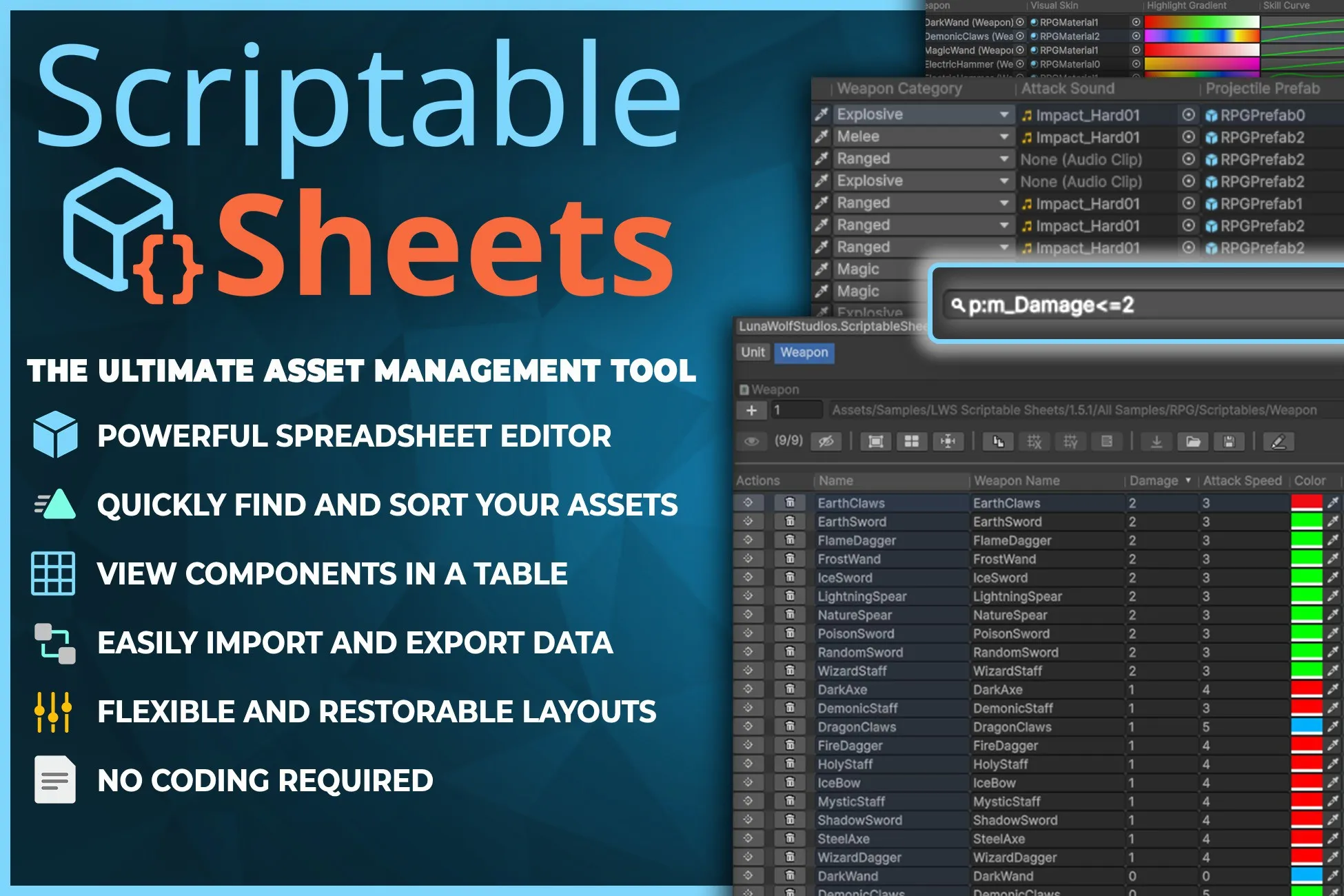
See your ScriptableObjects, Prefabs, and Components in one table inside the Unity Editor, one row per asset. Sort, filter, edit, copy, and paste them in bulk instead of one Inspector at a time.
On sale, 50% off. Was $49.99now $24.99 USD on the US store
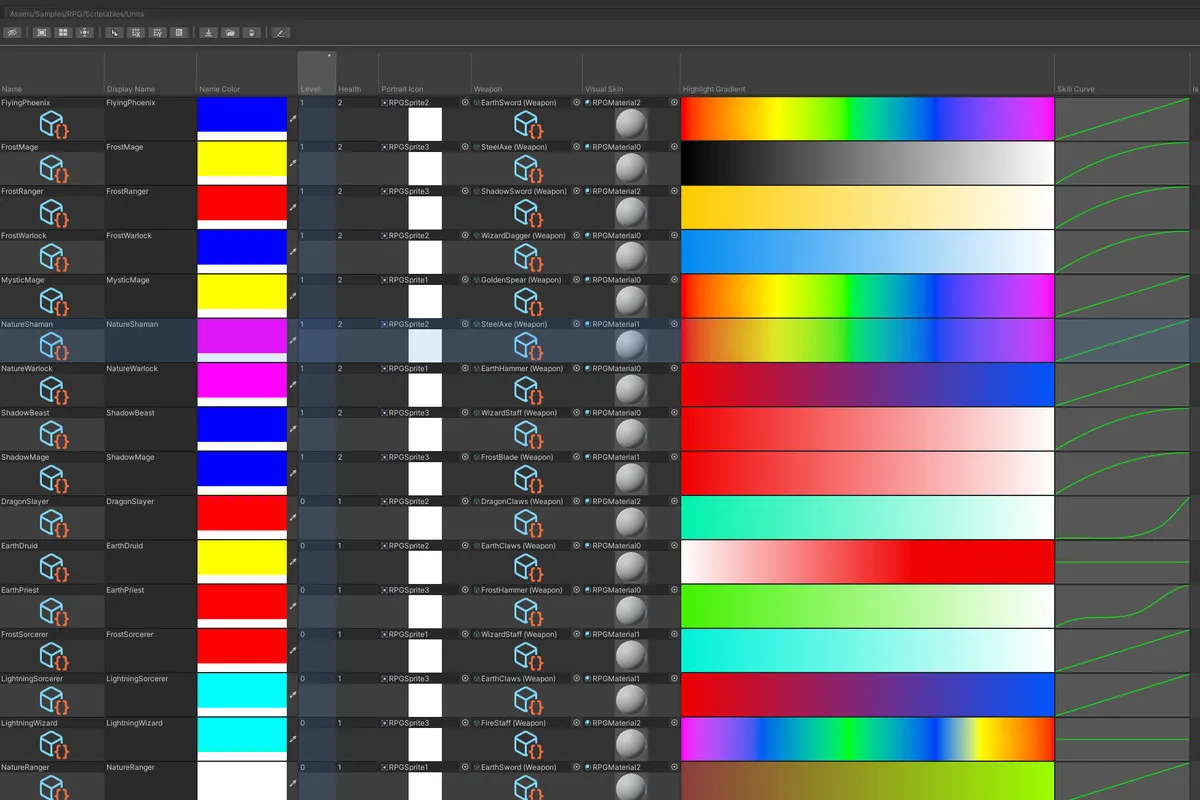
What it does
What Scriptable Sheets does
Your game's data in rows and columns, so you work on many assets at once instead of searching through folders.
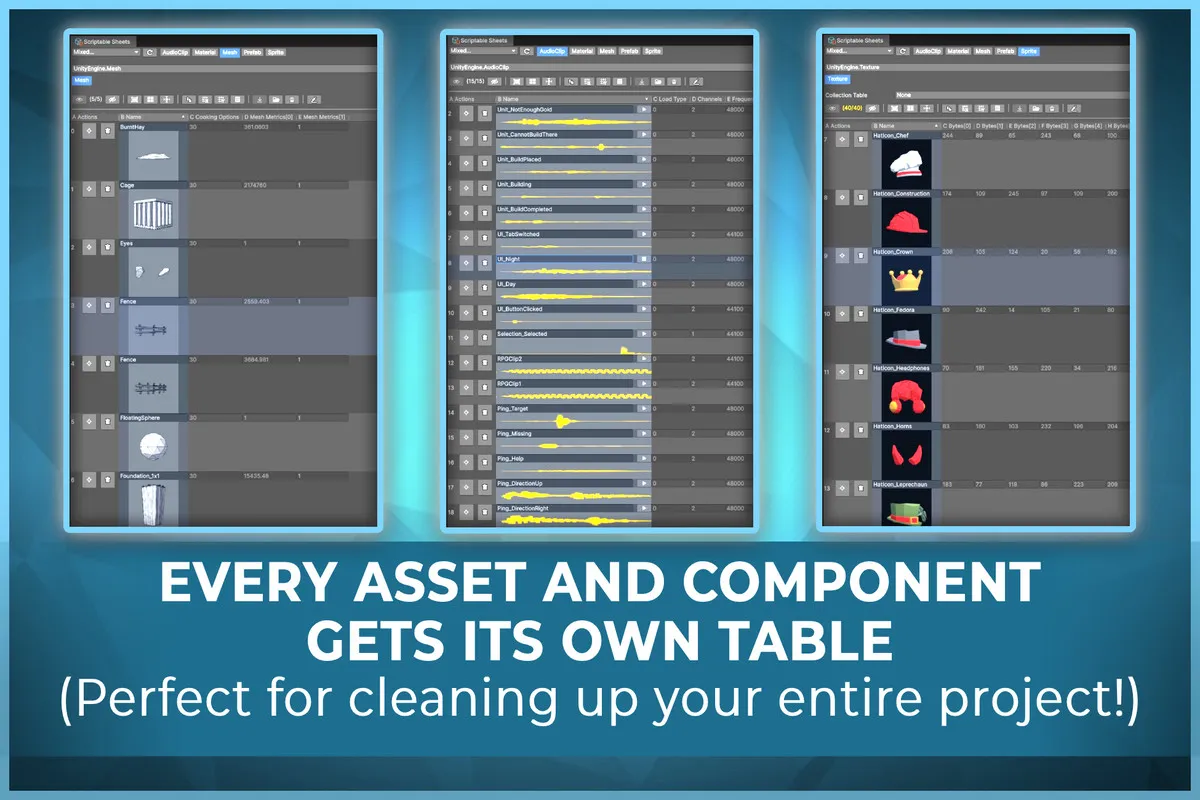
Every asset of a type in one table
Each asset is a row, each field a column. ScriptableObjects, Prefabs, Components, AudioClips, Materials, Meshes, and Textures.
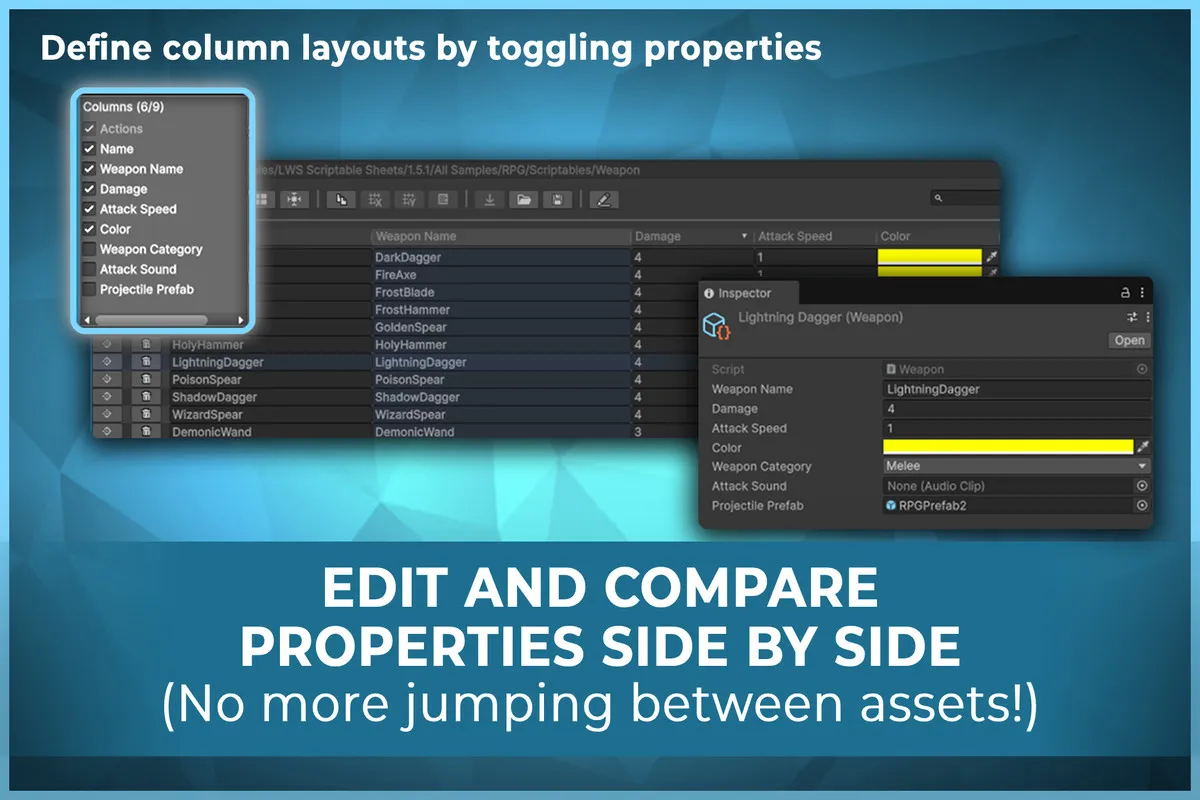
Edit and compare side by side
Edit in place, pick and sort columns, and the Inspector follows the cell you select.
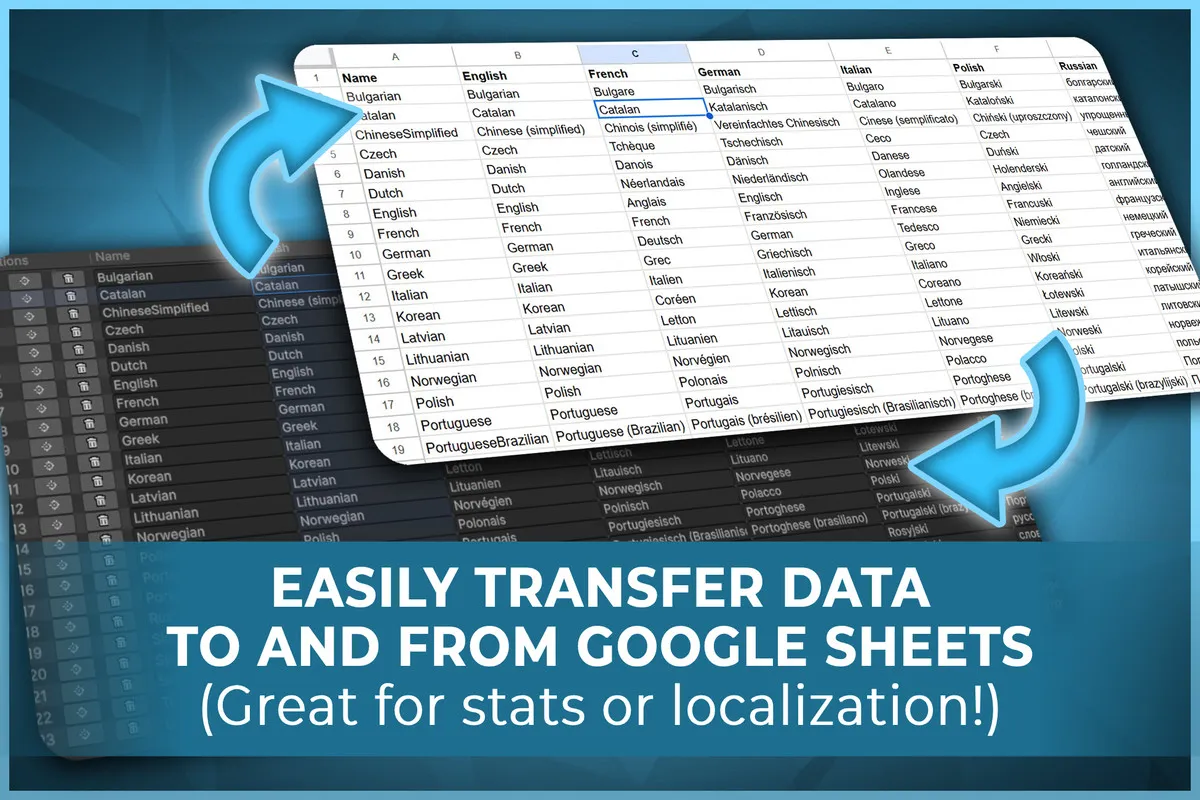
Copy and paste from Google Sheets, CSV, and more
Copy to Excel or Google Sheets and paste back. Import CSV and TSV, export JSON, or pull from a Google Sheet shared by link.
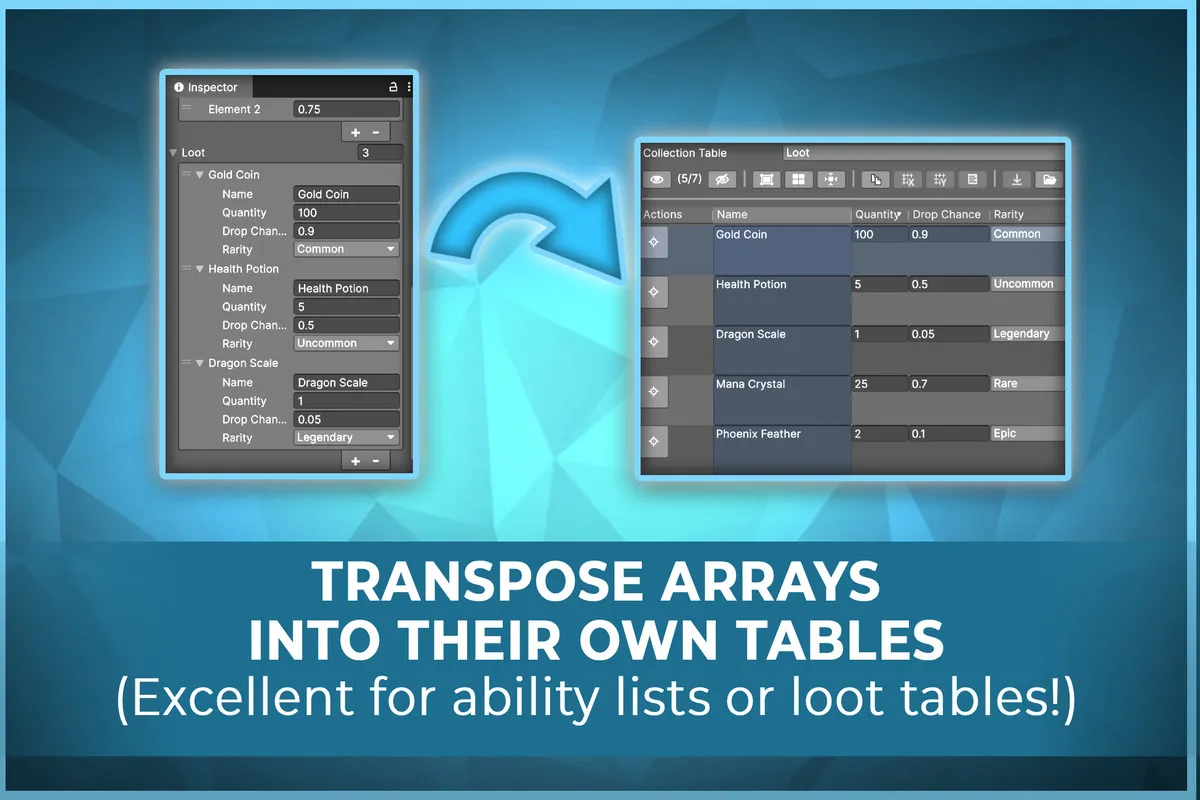
Lists and arrays get their own tables
Open any array or list as its own table, one row per element. Nested, generic, and SerializeReference fields work too.
Full feature list
Scriptable Sheets features
No code: open Window > Scriptable Sheets and pick a type.
Core features, 14 features
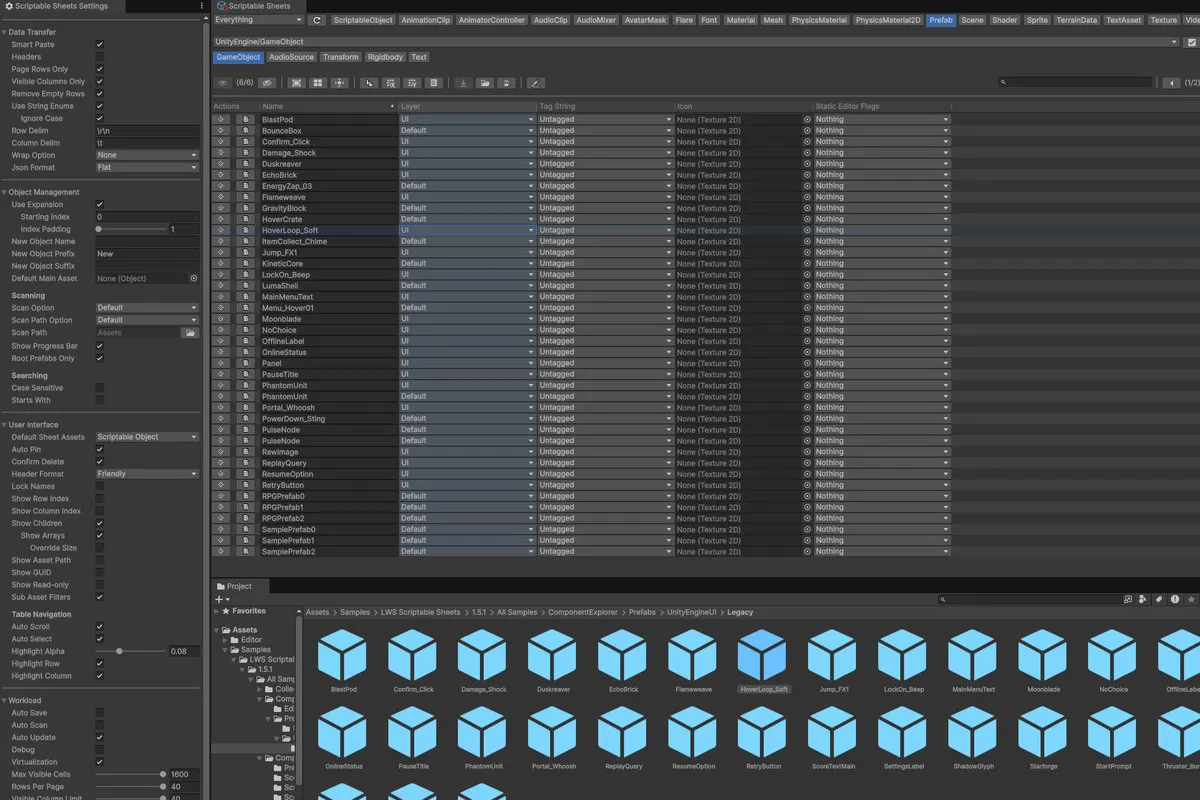
No setupNew and existing assets appear in a table with no coding.
Asset managementSelect, read, update, and delete Unity Objects.
Batch createMany ScriptableObjects of a type in one click.
Import and exportCSV, TSV, and flat files in; flat files or JSON out, with header, wrap, delimiter, and enum options.
Copy and pasteTables, columns, rows, or cells, out to any flat file format and back.
SerializationSerializable classes and property types in a multi-column view.
Complex dataInherited, nested, and generic fields.
Managed referencesSerializeReference fields, with a type dropdown on each row.
Object referencesAudioClips, Materials, Prefabs, ScriptableObjects, and more.
CollectionsArrays and lists in the grid, or as their own table.
Read-only fieldsAsset paths, GUIDs, and read-only fields.
Sub AssetsManage and filter Sub Assets of ScriptableObject types.
AddressablesAddressable Asset References and their Sub Assets.
Prefab ComponentsTransforms, Colliders, Rigidbodies, and more on your Prefabs.
User interface, 13 features
Keyboard navigationTab, enter, shift, and arrow keys, as in a spreadsheet.
Search filteringBy folder, name, or property-based filters (opens in a new tab), with case and prefix options.
PaginationPage through large sets of Objects.
Hide and show columnsKeep only the data you need in view.
Resizable columnsBy hand, or with stretch, compact, and expand presets.
Adjustable row heightFits multiline text and texture, material, and model previews.
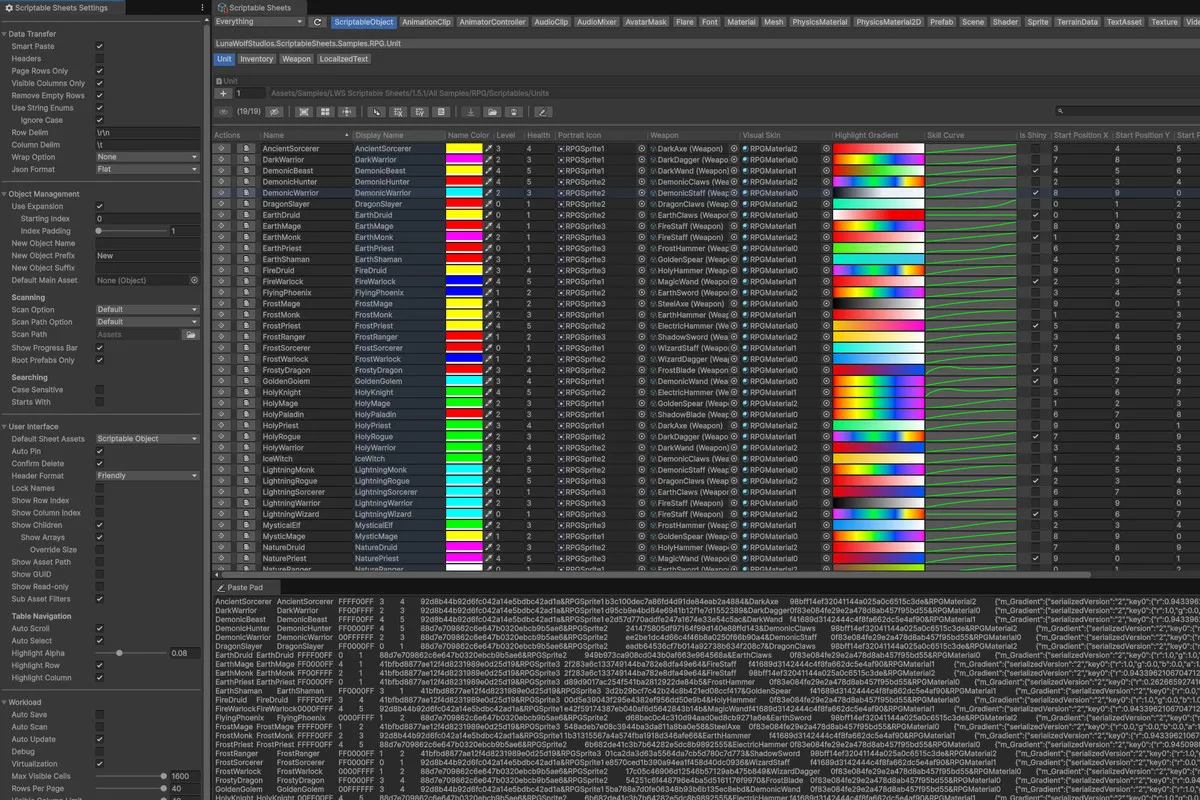
SortingBy any column, even colors, gradients, and curves.
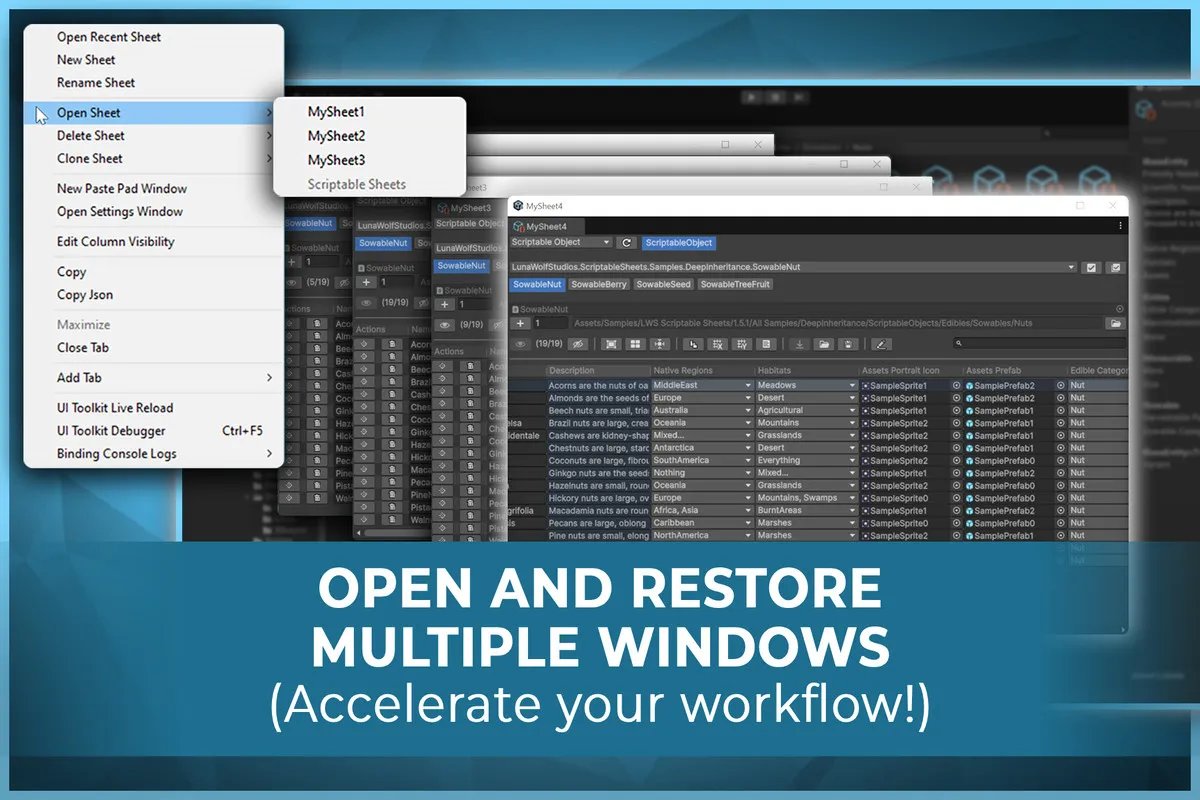
Multiple windowsSeveral sheets open at once, to switch between Object types.
Recent pinsRecently viewed types pinned for quick access.
Session cacheEach sheet keeps its setup across sessions where possible.
Paste PadA lightweight text editor inside Unity.
Inspector syncThe selected cell's Object shows in the Inspector and Project windows.
Light and dark themesMatches both Unity Editor themes.
Technical details, 7 features
Full source codeCustomize it to fit your project.
SamplesSample projects to learn from.
Unit testsShips with a suite of unit tests.
User settingsPersonal preferences in the UserSettings folder.
IMGUIFor features UI Toolkit does not offer.
Editor onlyStripped from builds, except the samples.
Unity LTS supportUnity 2020.3 LTS and later.
See it work
Video tutorials
From first setup to the settings panels, plus two case studies.
 Play video: Introduction
 Play video: Getting Started
 Play video: Basic Navigation
 Play video: Accessing Settings
 Play video: Copy-Paste
 Play video: Unity Layout
 Play video: Paste Pad
 Play video: Google Sheets
Show 12 more videosShow fewer videos
 Play video: Data Transfer Settings
 Play video: Object Settings
 Play video: User Interface Settings
 Play video: Table Nav Settings
 Play video: Supported Types
 Play video: Workload Settings (Rows and Columns)
 Play video: Scriptable Objects
 Play video: Search Filters
 Play video: What's New
 Play video: Case Study: TCG Engine
 Play video: Case Study: DOTS Survivors
 Play video: What's New 2026
Reviews
What Unity developers say
This is incredibly powerful for my kind of a workflow. Being able to see every single member of a scriptable object in one view lets me see the bigger picture much more easily. Highly recommend this one.
Unity Asset Store (opens in a new tab)Store review I can’t express enough how AMAZING this asset is! If you work with ScriptableObjects, or any serializable asset supported by this tool that you want to edit in List format, this is the asset to buy!
Unity Asset Store (opens in a new tab)Store review So it’s come to this: I’ve reached the age where I get excited about an embedded spreadsheet tool. smh This is amazing! It helps structure my endless number of Scriptable Objects in my scene. Was about to write something myself, but this is well worth the money! <3
Unity Asset Store (opens in a new tab)Store review Quite powerful – especially for larger projects. If you organize data using scriptable objects in your project, this asset is going to be a huge time saver. Definitely a must have asset in my opinion!
Unity Asset Store (opens in a new tab)Store review If you use a lot of scriptable objects and need to compare, change or sift through the data this is the way to do it.
Unity Asset Store (opens in a new tab)Store review This is an excellent tool and is well worth the spend for how much convenience it offers, I can already see how much it's going to help the asset management with the rest of my interdisciplinary team. There are a lot of thoughtful features and customizations, good documentation, and I like that the asset is actively maintained. As others have mentioned the developer is very quick to respond and supportive which is greatly appreciated.
Unity Asset Store (opens in a new tab)Store review I needed to work with a lot of data which I prepared in Excel (because it's more convenient for me) and exported as .csv files. Scriptable Sheets let me import the data and view it in a very nice way inside Unity. I'm quite happy with the product and would recommend it!
Unity Asset Store (opens in a new tab)Store review If you are dealing with a lot of scriptable objects then this asset is a must have. It will speed up the process of creating all your assets rather than using the cumbersome Unity Inspector interface. The creators are also very responsive with support questions!
Unity Asset Store (opens in a new tab)Store review The most useful tool I have in my arsenal especially for my TCG game is Scriptable Sheets! The amount of pure hours I've saved just from navigating from SO folder to SO folder is just insane.
Unity Asset Store (opens in a new tab)Store review This asset does everything I need and the dev replied immediately when I needed something clarified. Can't fault it!
Unity Asset Store (opens in a new tab)Store review I can make bulk changes instantly here, where it would take me 15-30 minutes before. This helps my development go faster, which is key for ensuring my game actually gets finished and published!
Unity Asset Store (opens in a new tab)Store review Excellent asset. Simplifies work with a large number of scriptable objects. The author of the asset promptly responds and adds new functionality. Thanks to the author for his work.
Unity Asset Store (opens in a new tab)Store review
Recognition
Two nominations at the 17th Unity Awards
Scriptable Sheets was a nominee for Best Development Tool at the 17th Unity Awards in 2025, and Luna Wolf Studios was a nominee for Breakthrough Publisher.
Details
Compatibility and details
- Price
On sale, 50% off.
Prices are for the US store and may differ in your region.Was $49.99now $24.99 USD on the US store- Current version
- 1.11.0 Changelog (opens in a new tab)
- First published
- Unity versions
- Unity 2020.3 LTS and later
- Runs in
- The Unity Editor only. It is stripped from builds, except the samples.
- Requires
- The Newtonsoft Json and Test Framework packages from Unity
- Includes
- Full source code, sample projects, and unit tests
- File size
- 456.6 KB
- License
- Standard Unity Asset Store EULA. Extension Asset, licensed per seat.
Documentation and support
- DocumentationSetup, settings, search filters, and FAQ (opens in a new tab)
- ChangelogEvery release since 1.0.0 (opens in a new tab)
- Video tutorialsThe full playlist on YouTube (opens in a new tab)
- Unity DiscussionsThe release thread on Unity's forum (opens in a new tab)
- support@lunawolfstudios.comEmail the developer
FAQ
Questions about Scriptable Sheets
Something else to ask? Email support@lunawolfstudios.com or use the contact form.
What is Scriptable Sheets?
Which Unity versions does it support?
uint and ulong fields need Unity 2022.1 or later. The changelog (opens in a new tab) records fixes for new Unity releases, such as Unity 6.5 in version 1.9.1.Does Scriptable Sheets add anything to my game build?
Can I move data between Unity and Google Sheets, Excel, or CSV files?
Do I need to write code to use it?
Does it handle nested data, lists, and SerializeReference fields?
Where do I get help?
Unity editor tools
Need a custom Unity tool?
The team behind Scriptable Sheets builds custom editor windows, inspectors, data editors, and pipeline tools. Most of our work has been in Unity. Tell us what slows your team down.
See our Unity development services, or meet Jeff, our co-founder who specializes in Unity.
Get Scriptable Sheets on the Unity Asset Store
One package for the Unity Editor, with full source code, samples, and documentation.
On sale, 50% off. Was $49.99now $24.99 USD on the US store
Available on


Hear about new versions
News on Scriptable Sheets updates and new releases from the studio. More on the newsletter page.