
Press kit
Scriptable Sheets press kit
Screenshots, the logo and key image, videos, quotes, and the facts for our Unity Editor tool that puts your assets in a spreadsheet.
Fact sheet
- Developer
- Luna Wolf Studios (Newark, Delaware, USA)
- Publisher
- Luna Wolf Studios
- Release
- July 24, 2024, on the Unity Asset Store
- Platform
- Unity Editor, Unity 2020.3 LTS and later
- Runs in
- The Unity Editor only. It is stripped from builds, except the samples.
- Includes
- Full source code, sample projects, and unit tests
- License
- Standard Unity Asset Store EULA. Extension Asset, licensed per seat.
- Documentation
- Scriptable Sheets docs (opens in a new tab)
- Price
On sale, 50% off.
Was $49.99now $24.99 USD on the US store
- On this site
- Product page: Scriptable Sheets
- Press contact
- support@lunawolfstudios.com
Prices are for the US store and may differ in your region.
Description
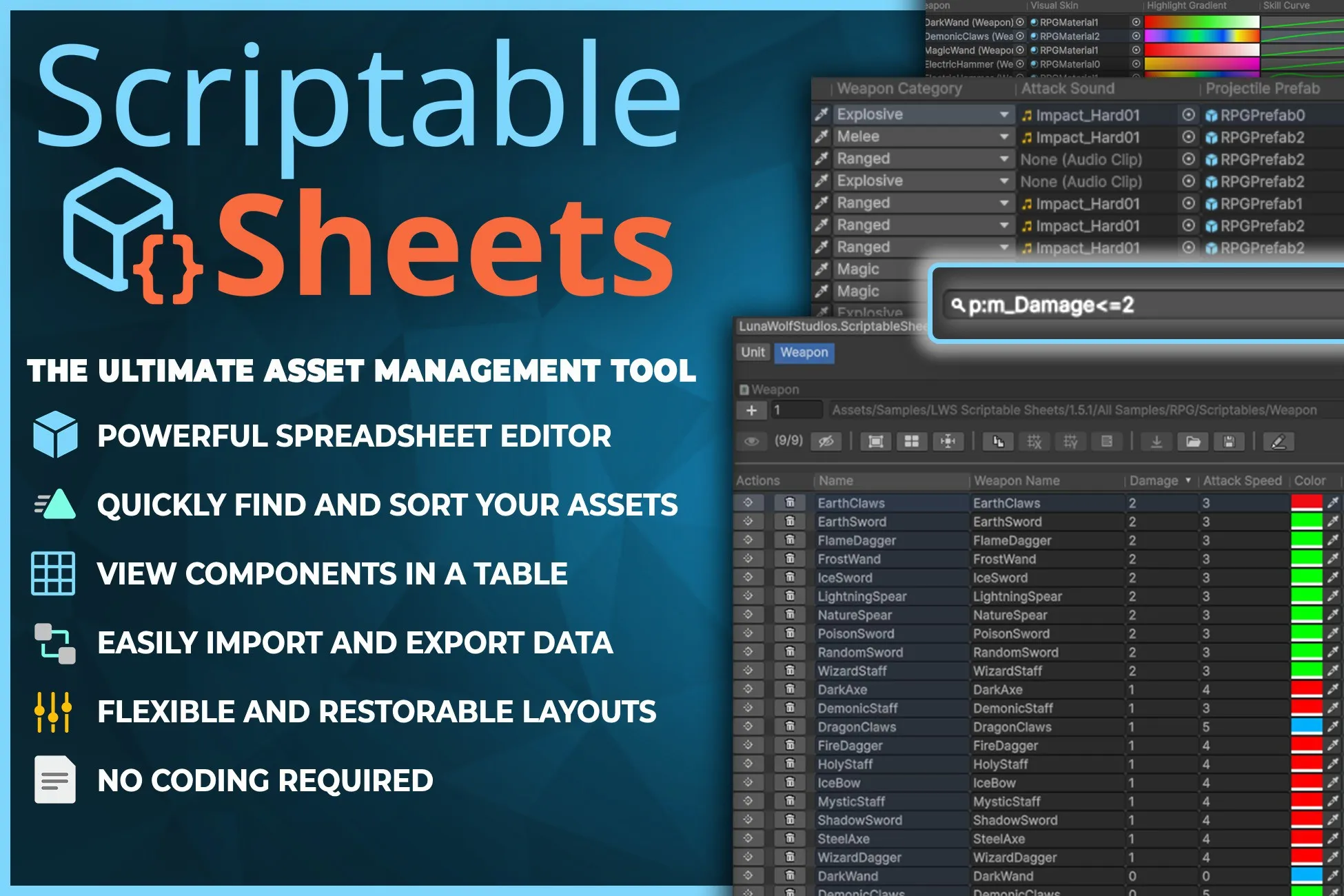
Scriptable Sheets shows ScriptableObjects, Prefabs, Components, and other Unity assets in a table, so developers can sort, filter, edit, copy, and paste them in bulk instead of opening assets one at a time in the Inspector.
It imports and exports CSV, TSV, and JSON, pulls data from Google Sheets, and runs only in the Editor, so it is stripped from builds. It was a nominee for Best Development Tool at the 17th Unity Awards.
History
- July 2024Scriptable Sheets launches on the Unity Asset Store on July 24.
- November 2025Scriptable Sheets is a nominee for Best Development Tool, and Luna Wolf Studios a nominee for Breakthrough Publisher, at the 17th Unity Awards.
Features
- Every asset of a type in one table: ScriptableObjects, Prefabs, Components, AudioClips, Materials, Meshes, and Textures.
- Edit in place, pick and sort columns, and the Inspector follows the cell you select.
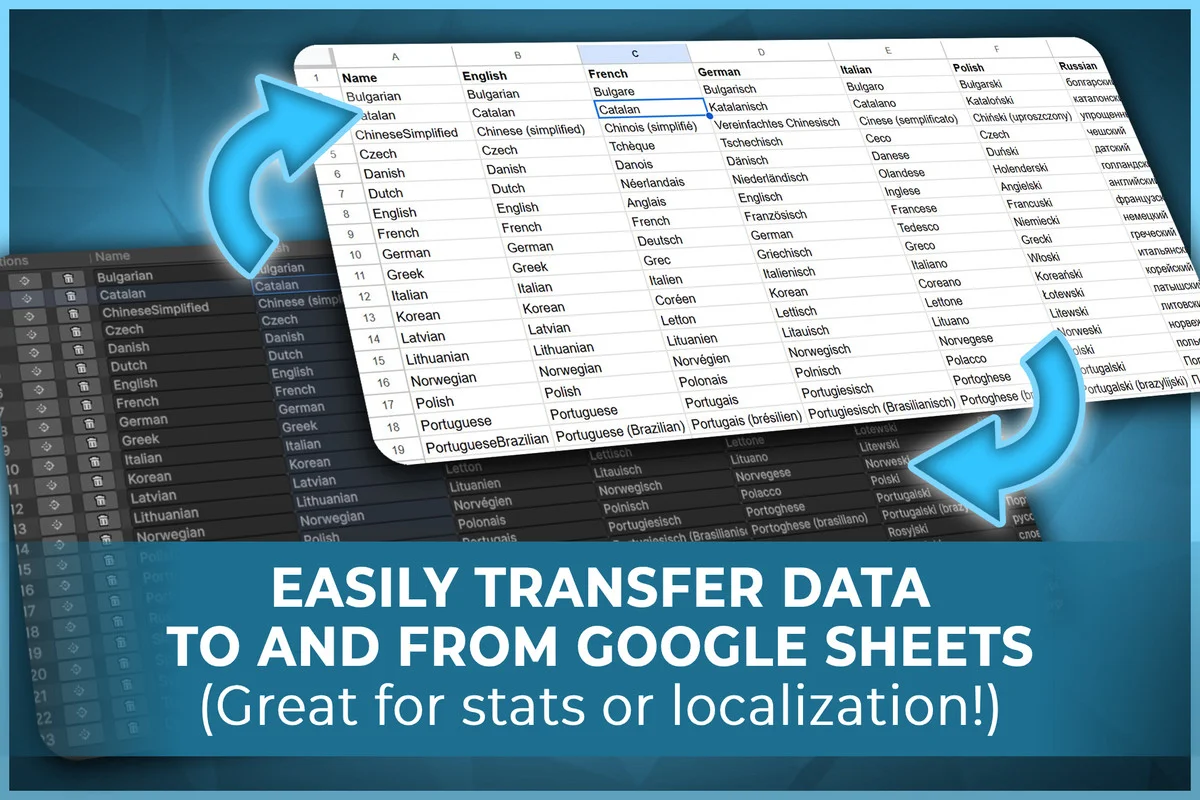
- Copy to Excel or Google Sheets and paste back. Import CSV and TSV, export JSON, or pull from a Google Sheet shared by link.
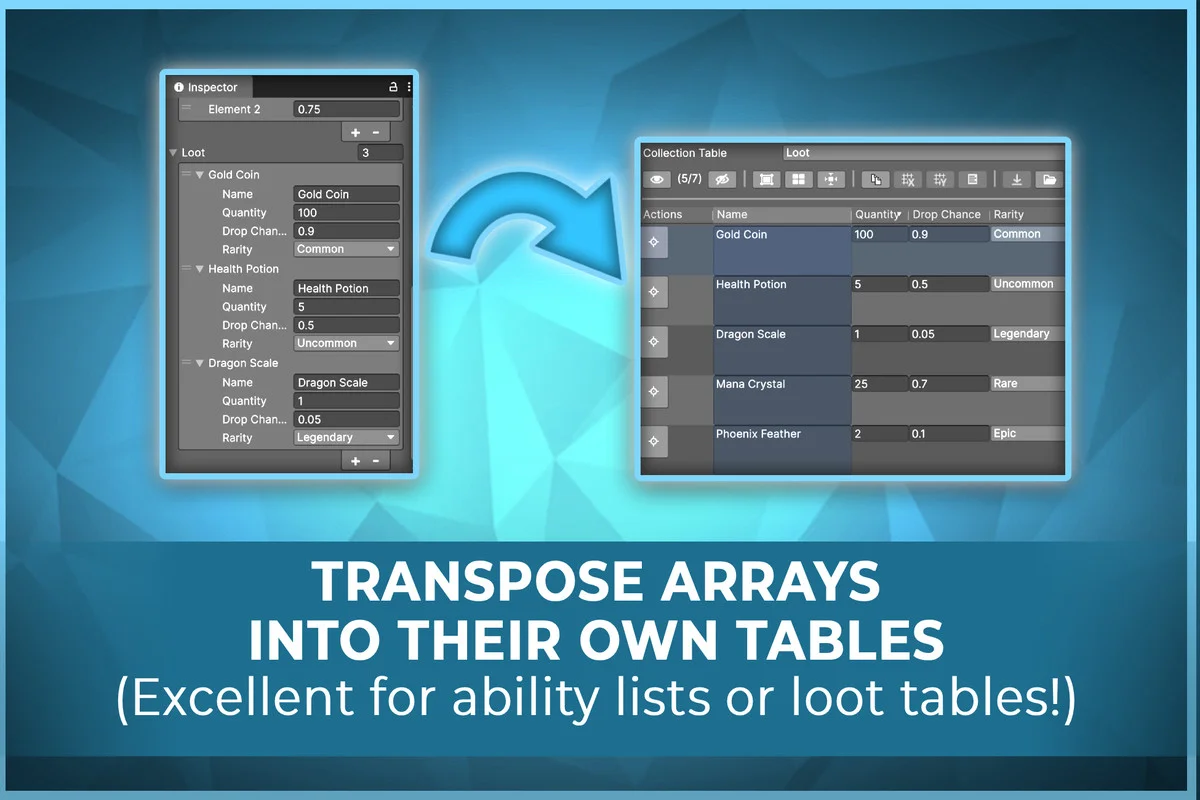
- Arrays and lists open as their own tables. Nested, generic, and SerializeReference fields work too.
- Batch create many ScriptableObjects of a type in one click.
- No setup and no coding: new and existing assets appear in a table.
- Editor only, stripped from builds. Full source code, samples, and unit tests included.
- Unity 2020.3 LTS and later, in both Unity Editor themes.
Videos
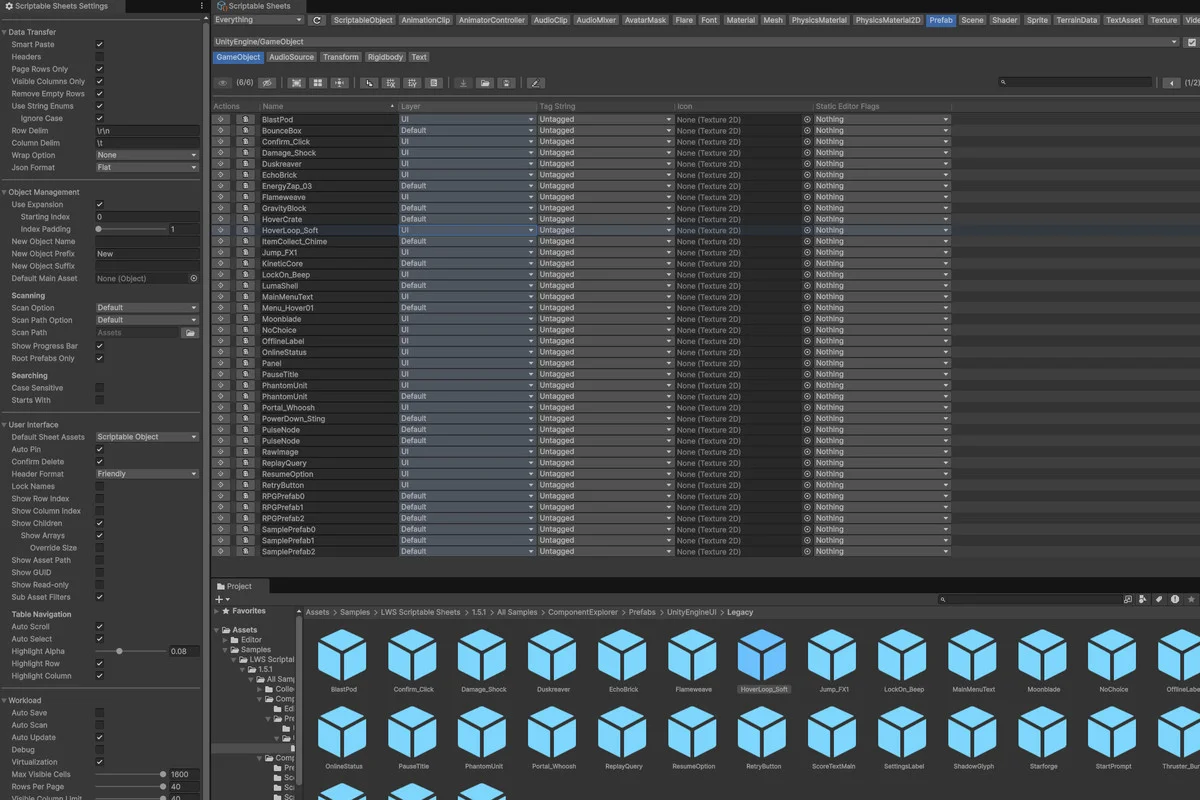
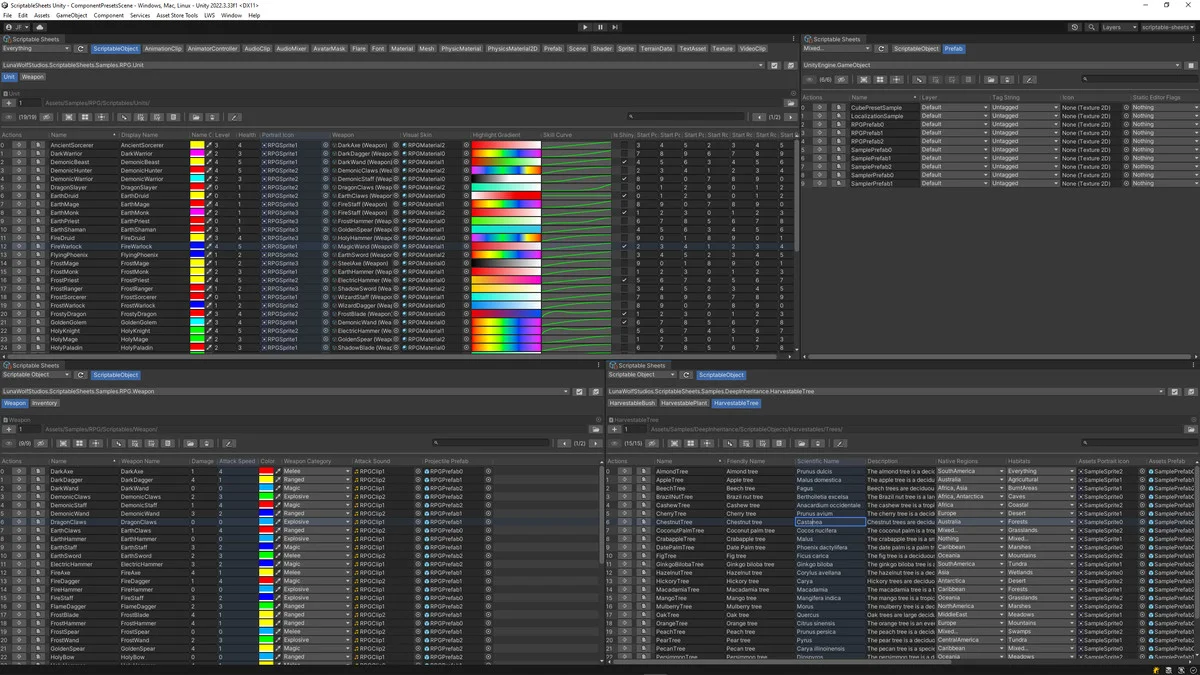
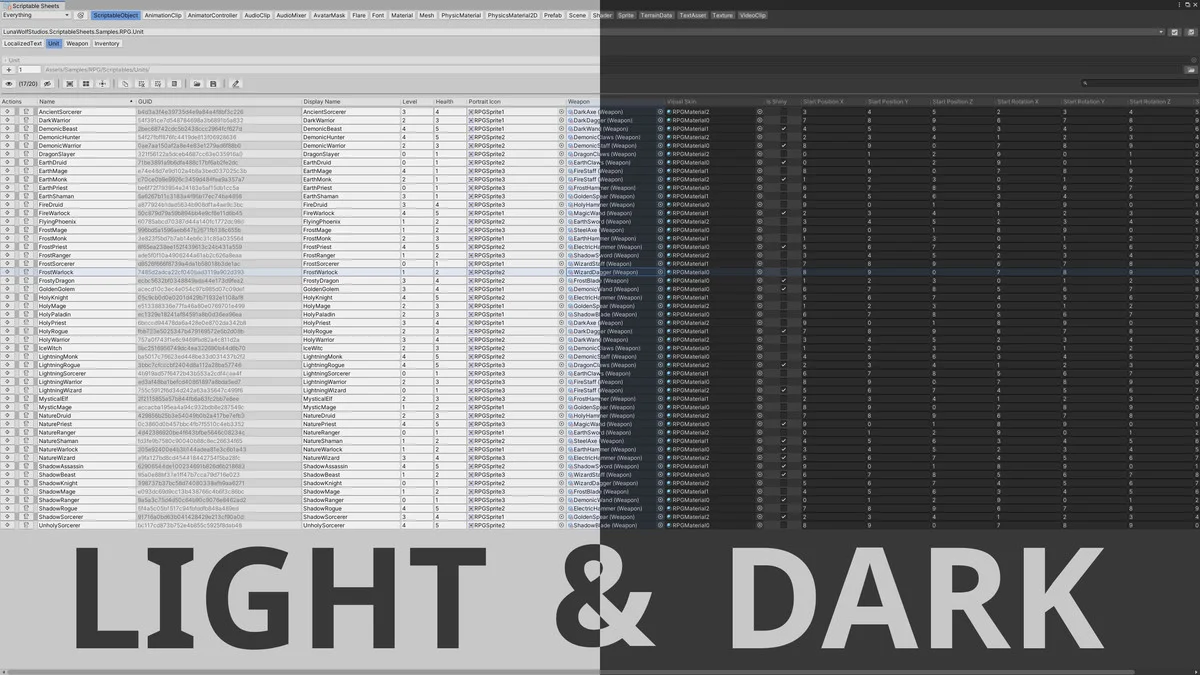
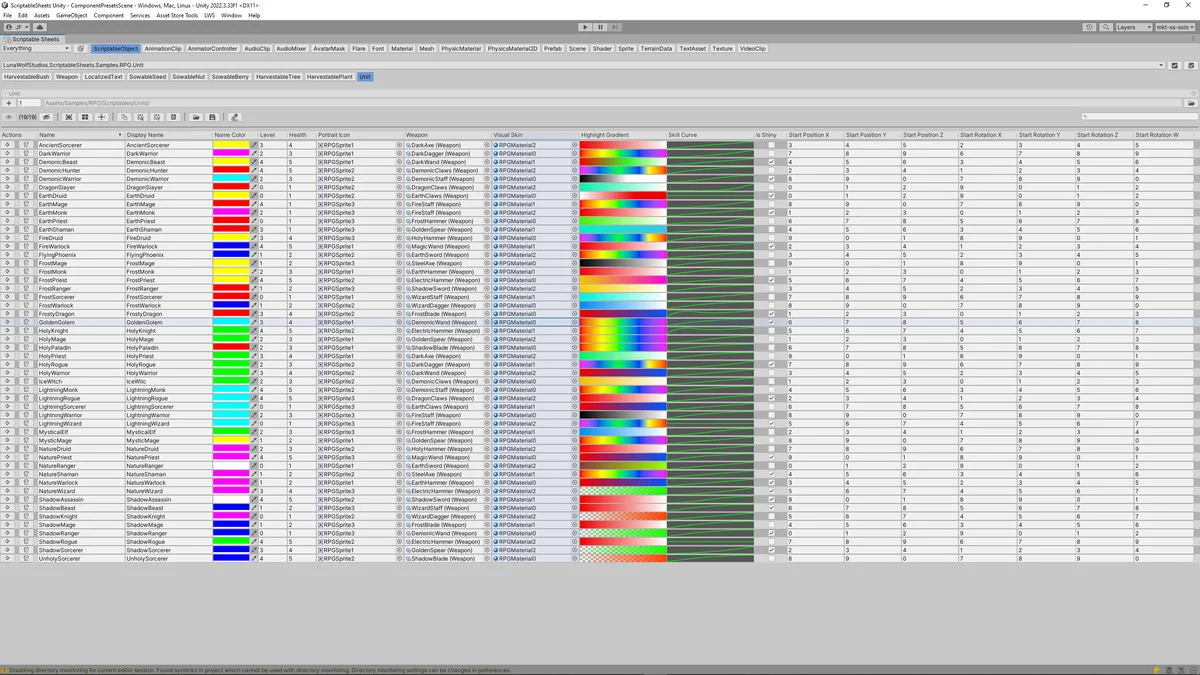
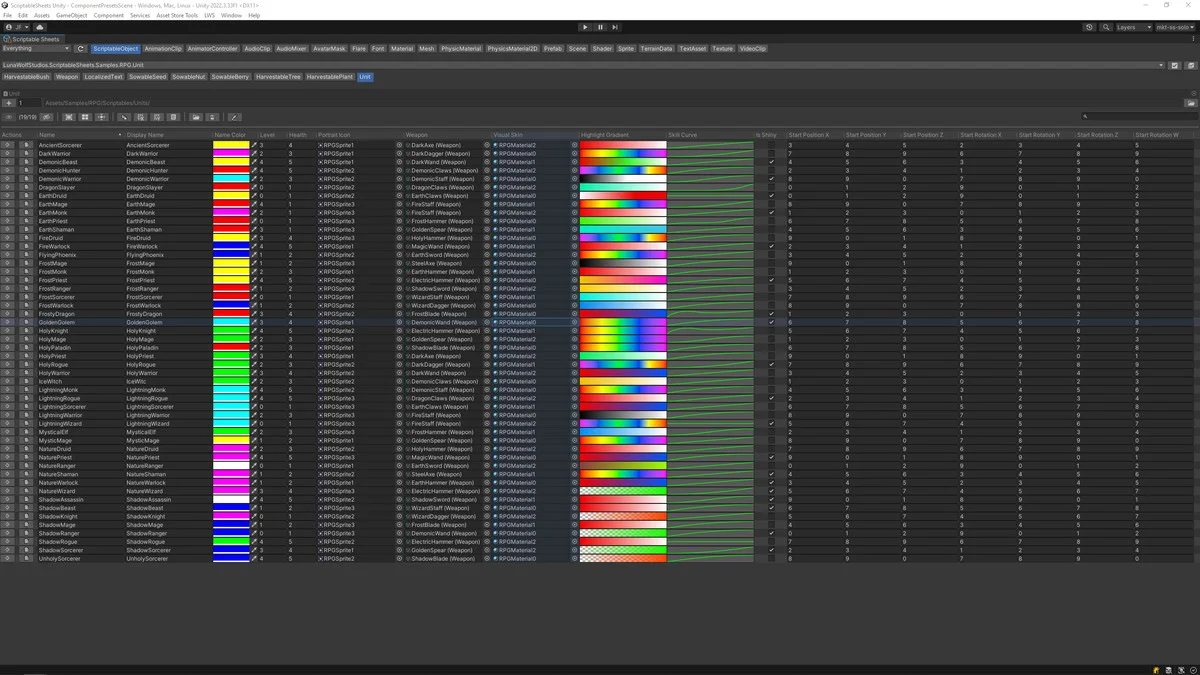
Download one screenshot at a time
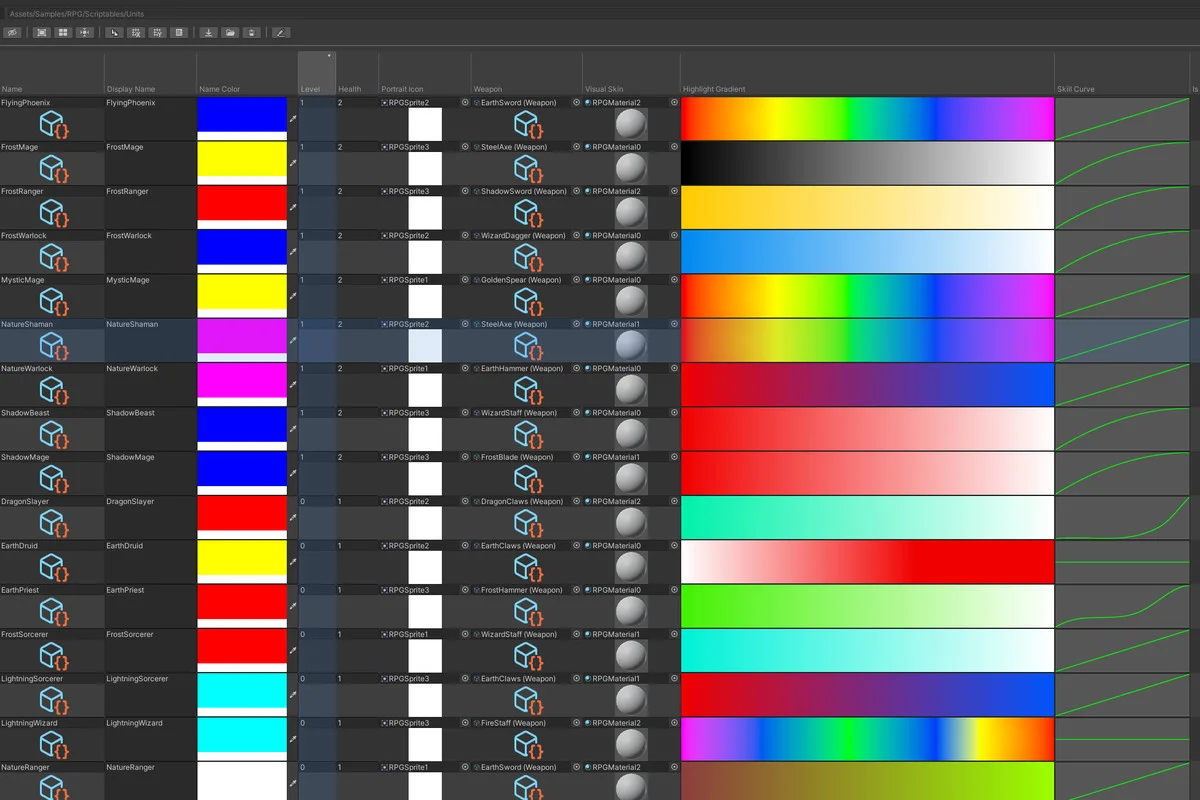
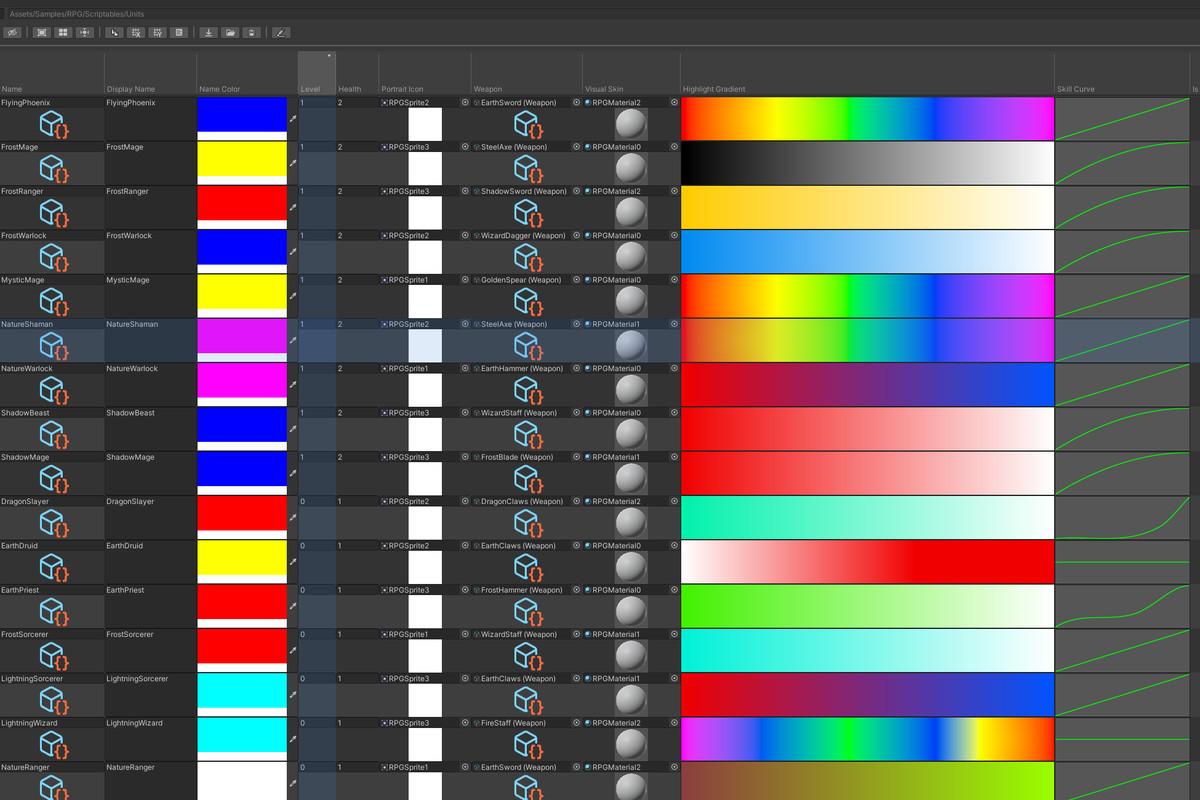
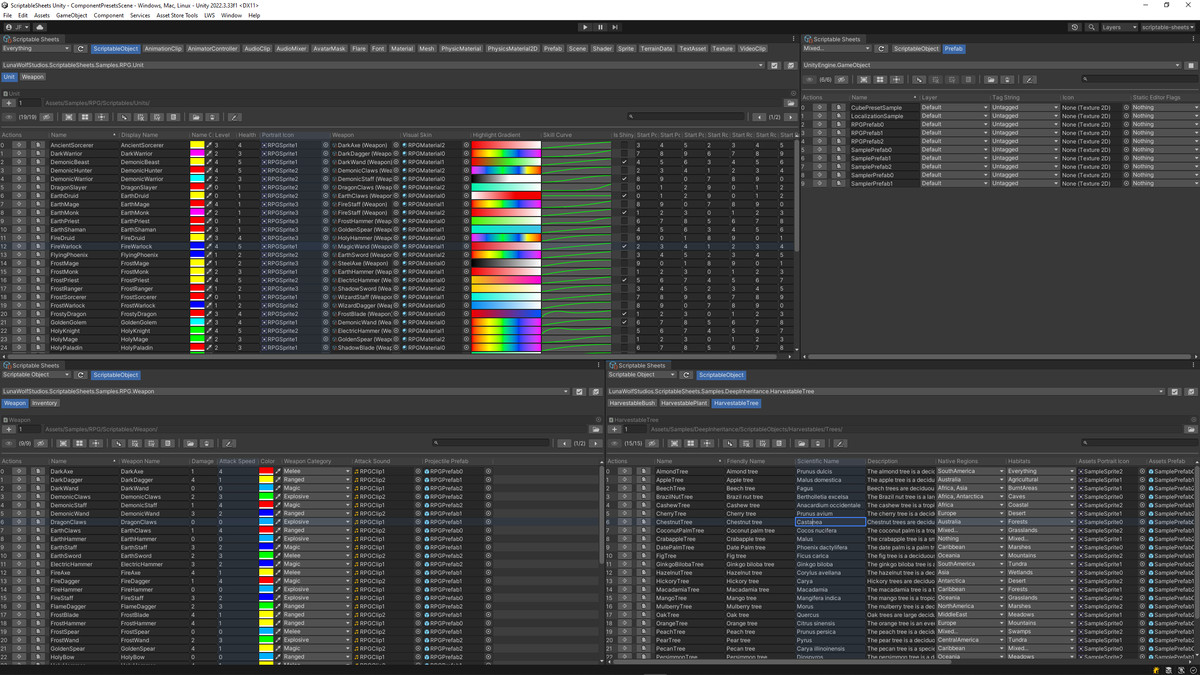
- Screenshot 1: Scriptable Sheets in the Unity Editor: a table of RPG unit ScriptableObjects with name colors, portrait icons, weapons, materials, highlight gradients, and skill curves, one unit per row.JPG, 198 KB
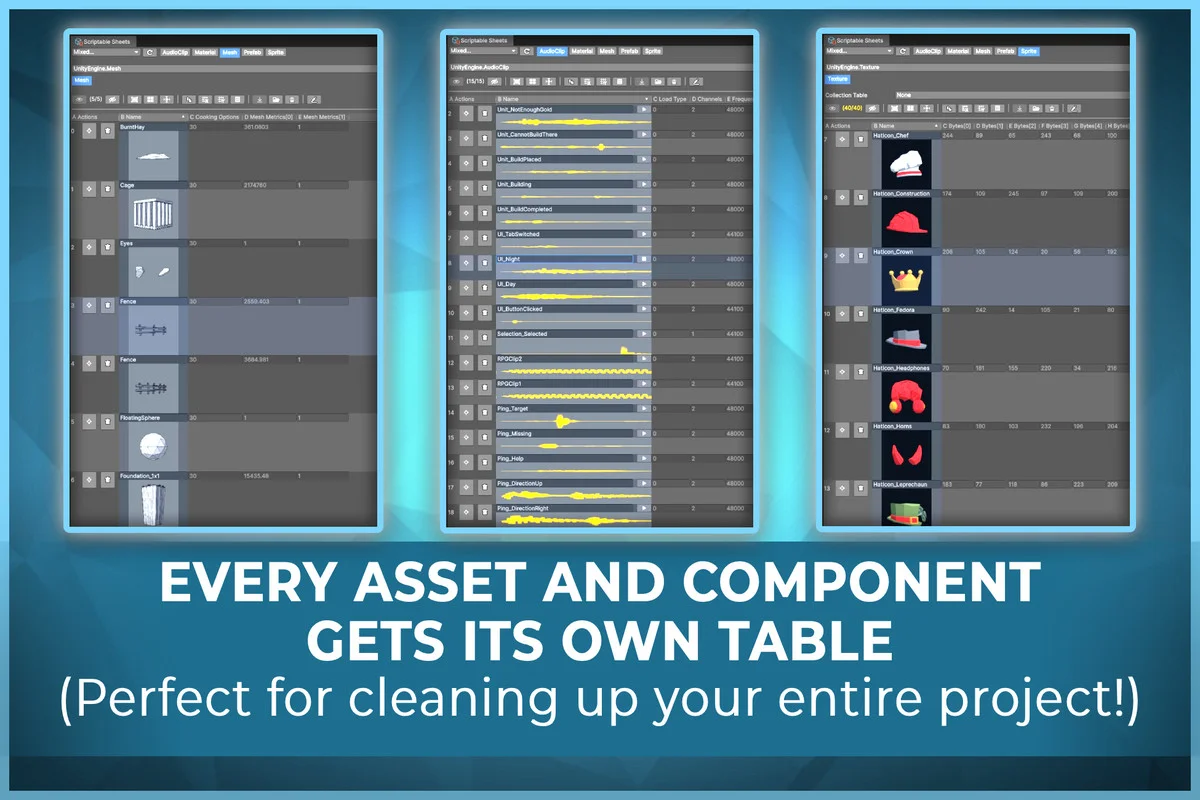
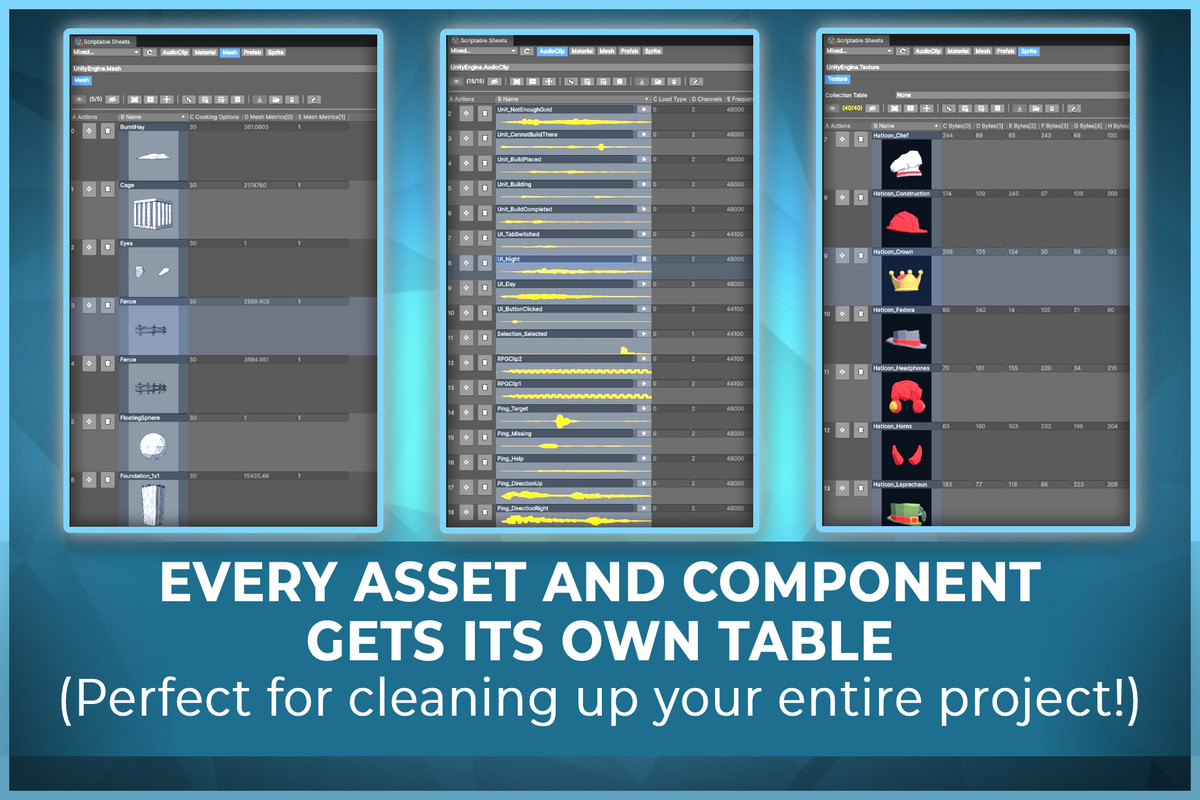
- Screenshot 2: Three Scriptable Sheets windows: meshes with previews, audio clips with waveforms, and textures with thumbnails, each in its own table.JPG, 229 KB
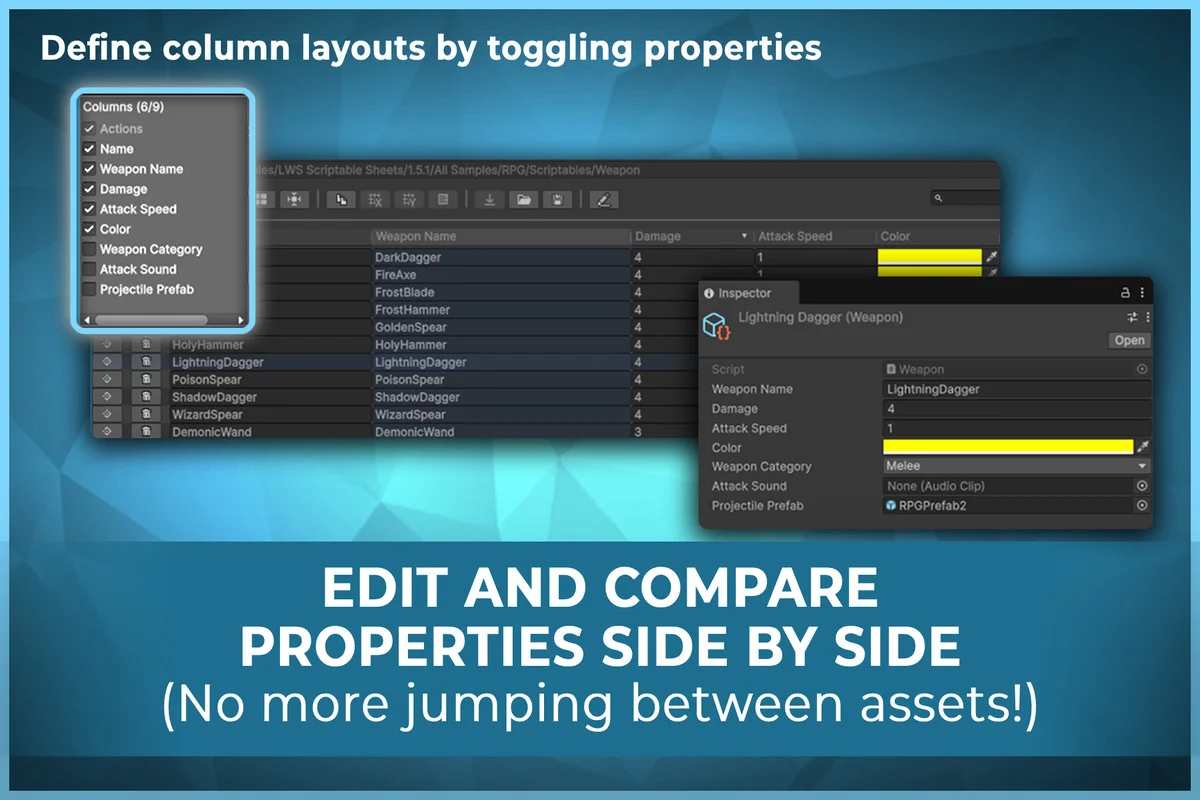
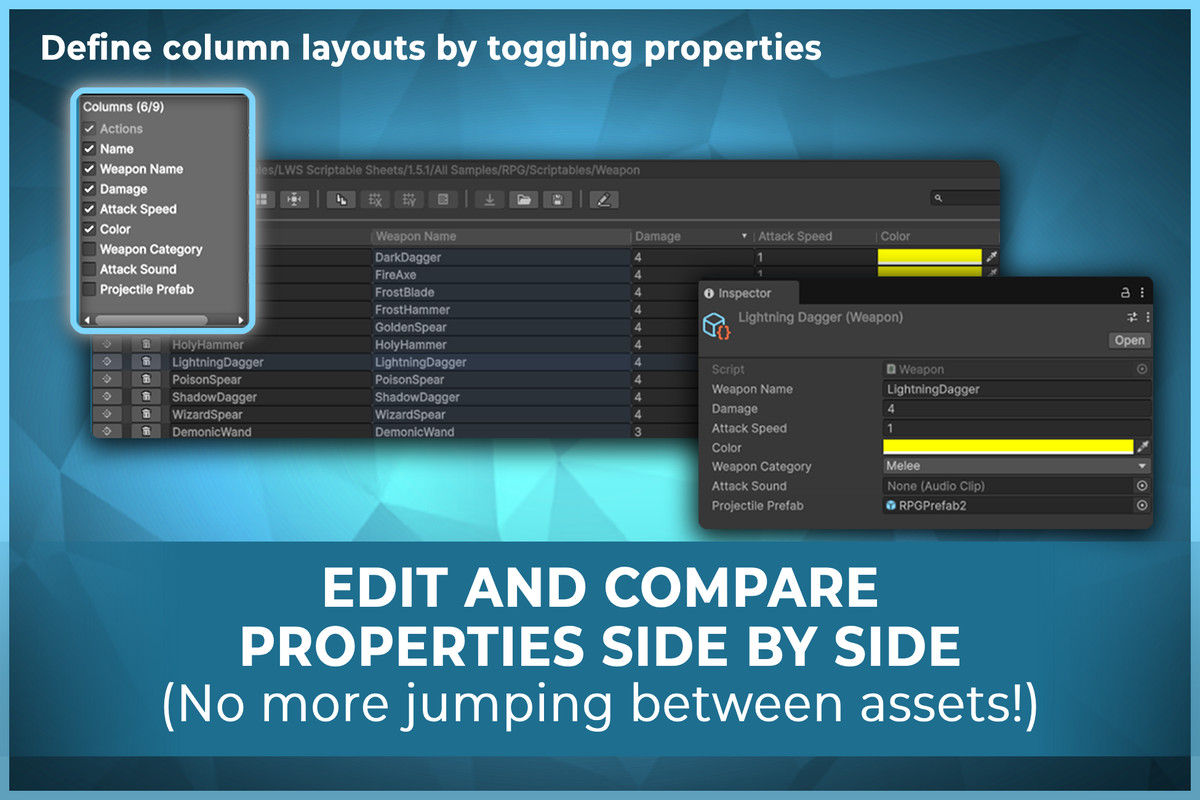
- Screenshot 3: A table of weapon ScriptableObjects with a column picker open, beside the Unity Inspector showing the selected weapon.JPG, 194 KB
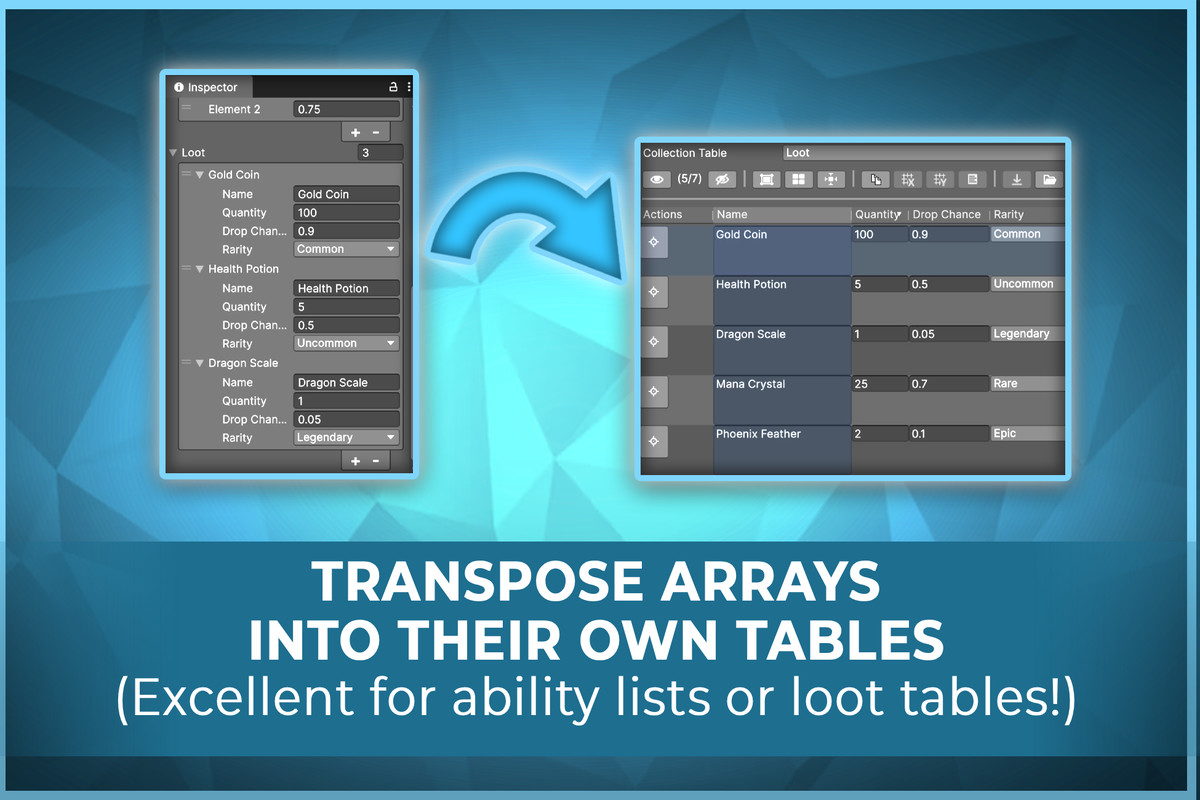
- Screenshot 4: A loot list in the Unity Inspector and the same list as a Scriptable Sheets collection table with name, quantity, drop chance, and rarity columns.JPG, 190 KB
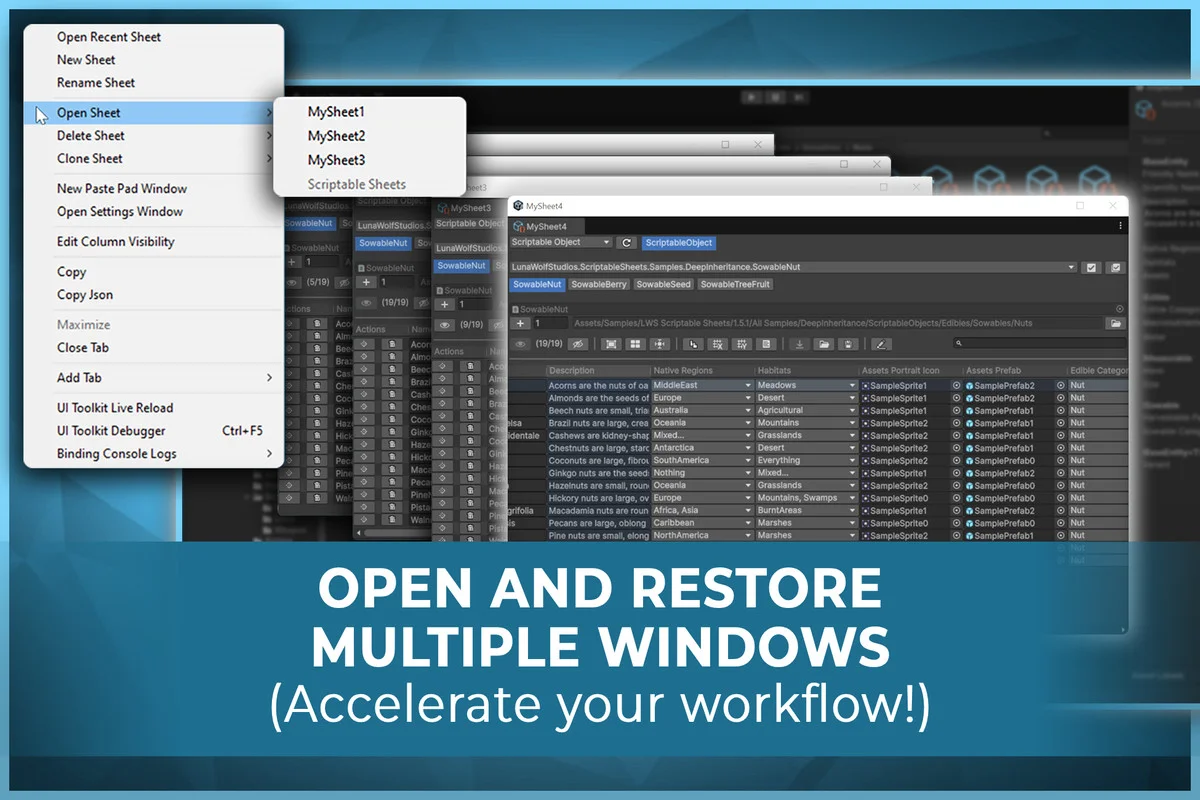
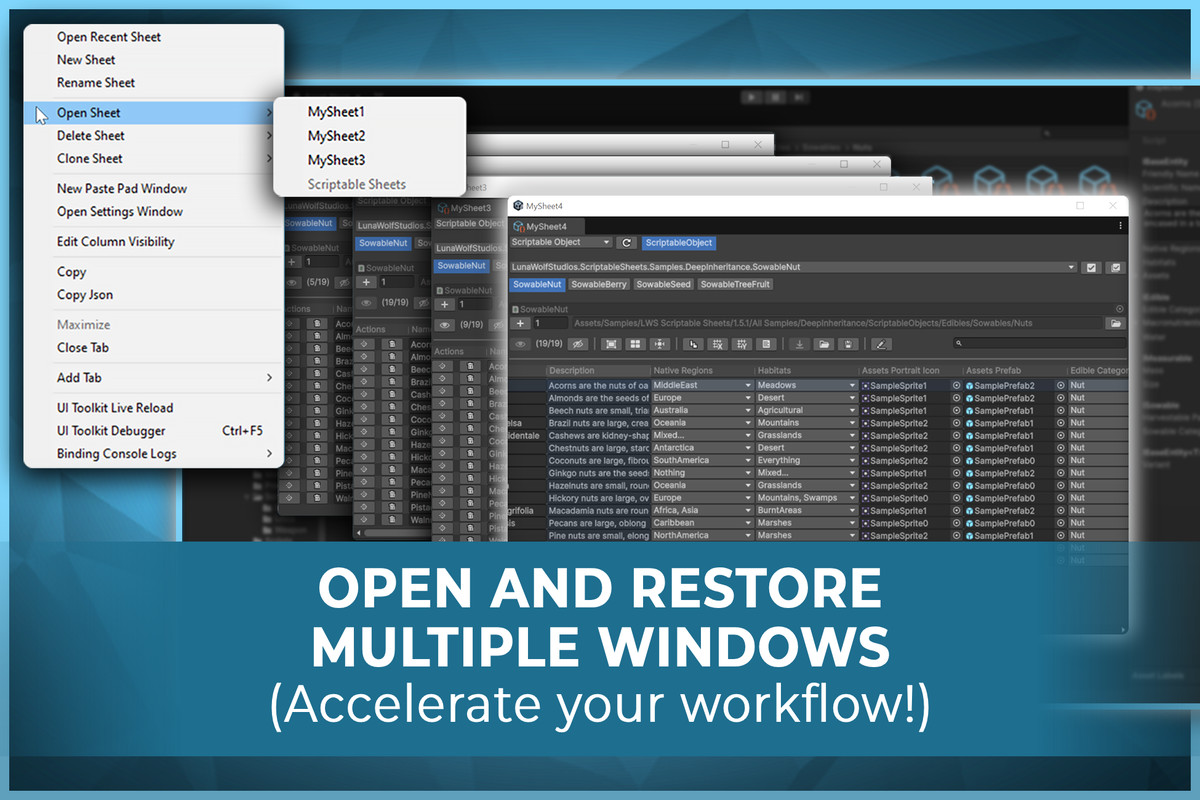
- Screenshot 5: Four Scriptable Sheets windows stacked, with the window menu open on Open Sheet and the options to open, rename, delete, and clone sheets.JPG, 231 KB
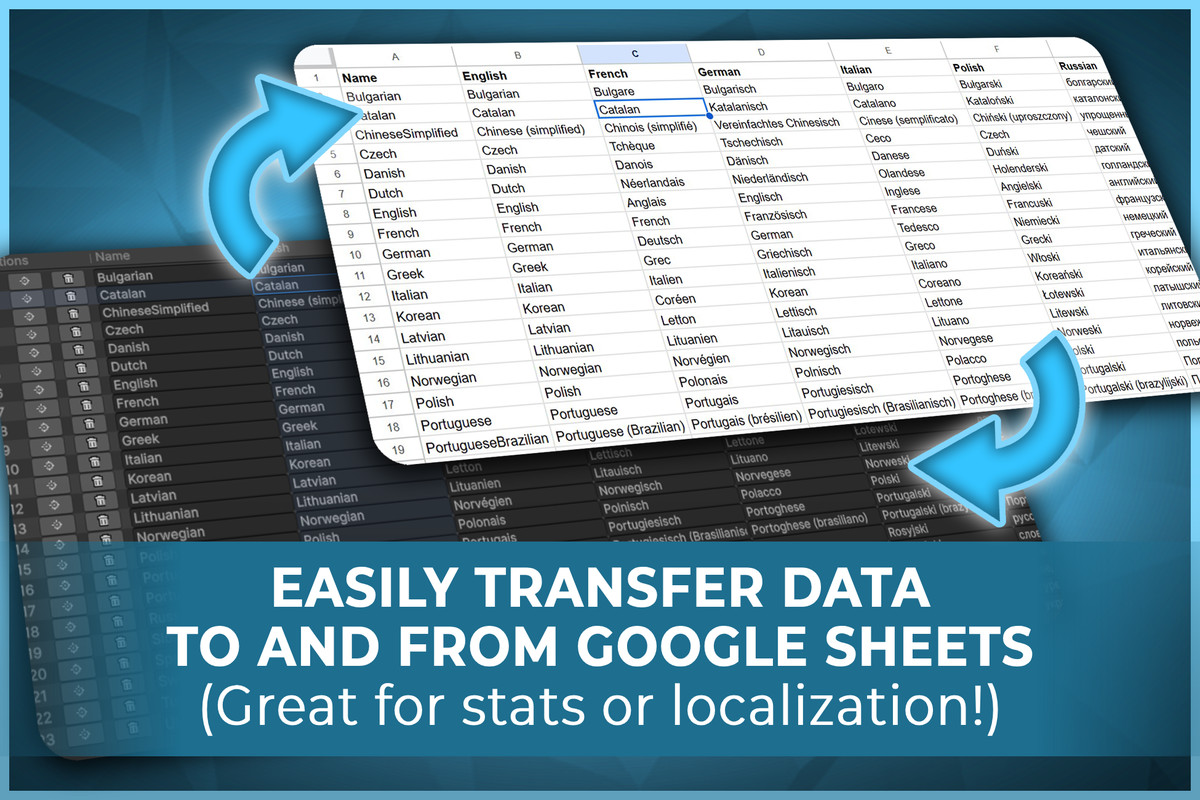
- Screenshot 6: A Google Sheet of language names and the same rows in a Scriptable Sheets table, with arrows showing data moving both ways.JPG, 295 KB
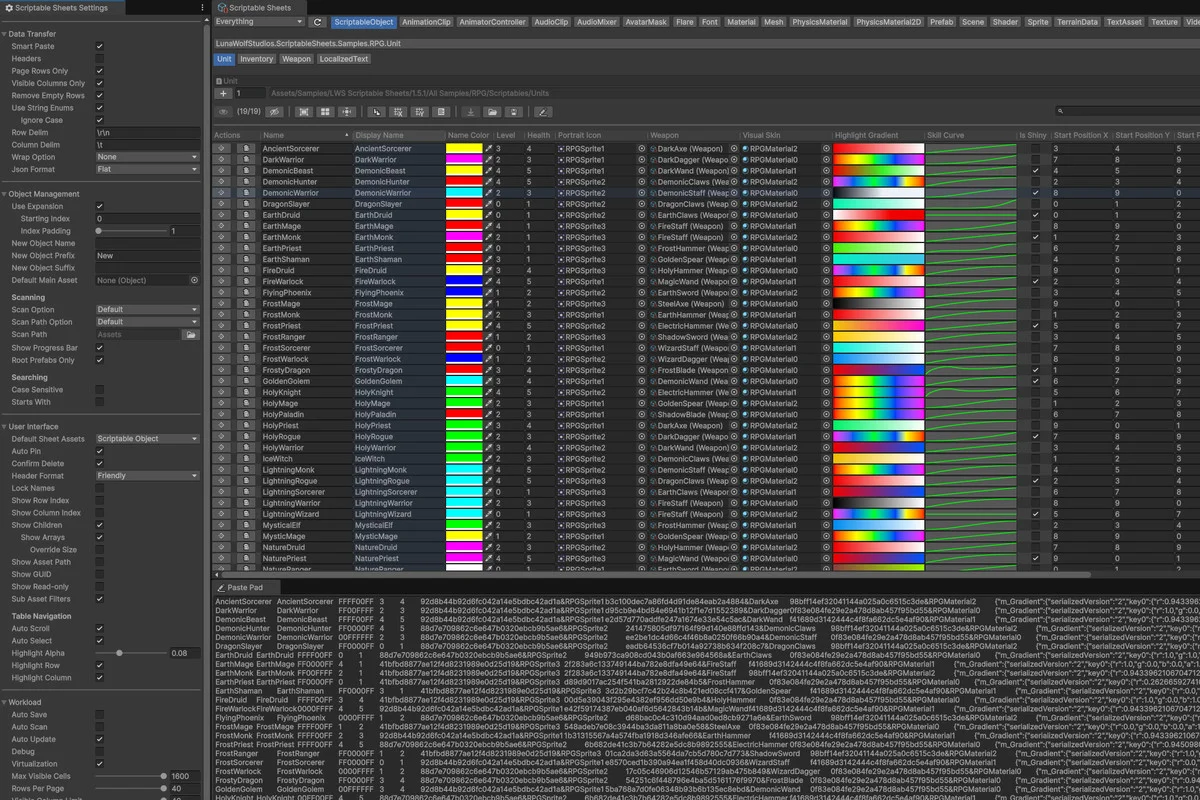
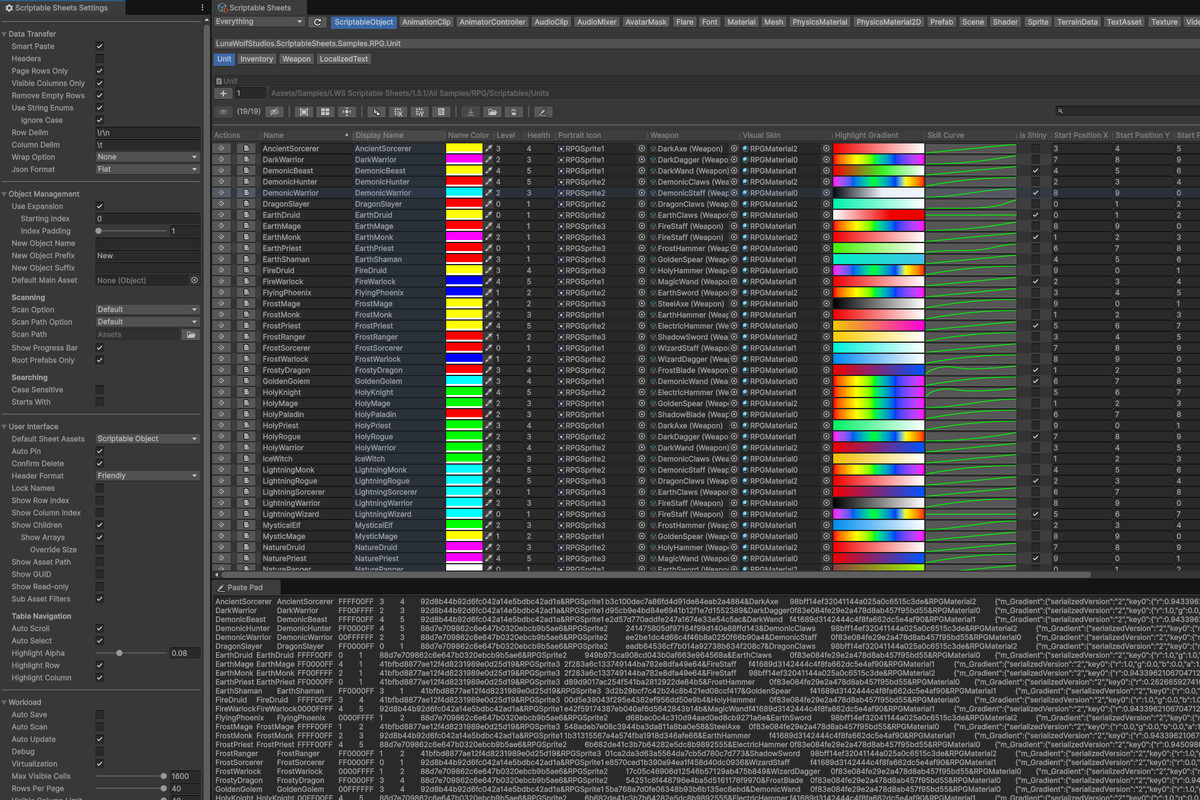
- Screenshot 7: The Scriptable Sheets settings panel beside a table of RPG unit ScriptableObjects, with Paste Pad open below holding the same rows as text.JPG, 348 KB
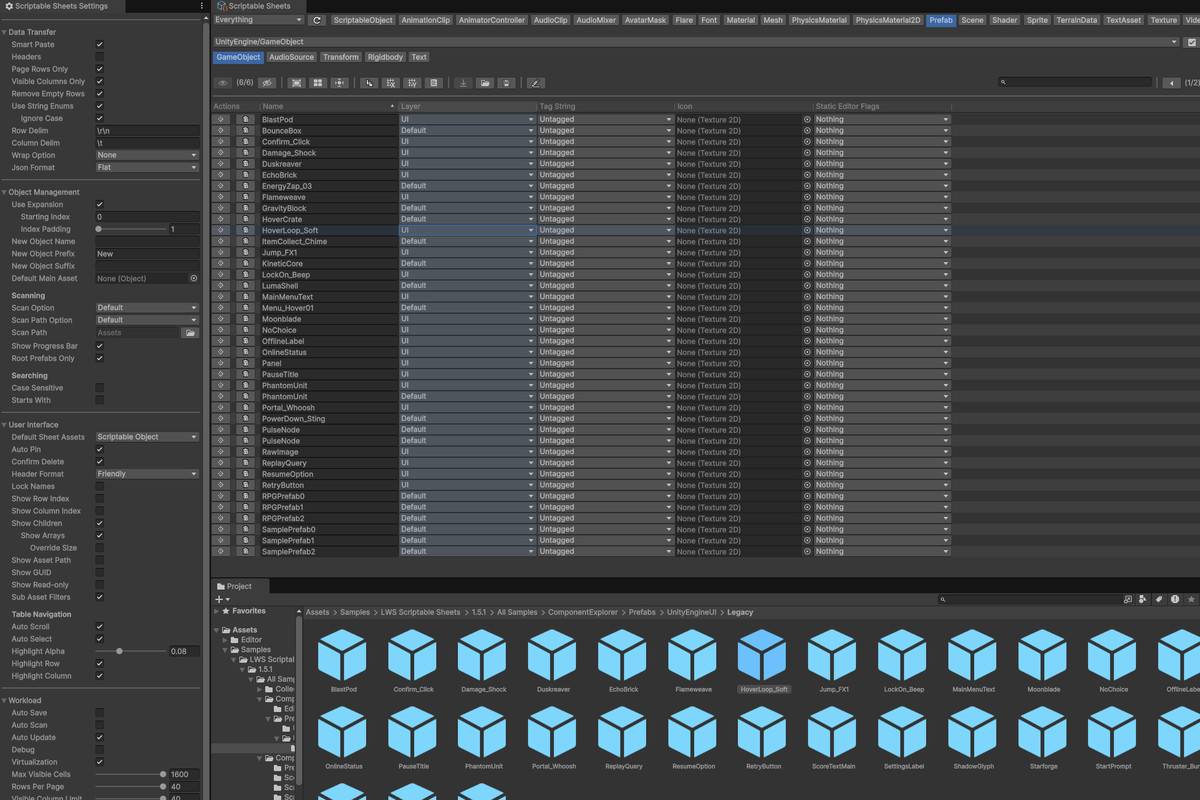
- Screenshot 8: A Scriptable Sheets table of Prefabs with tabs for their GameObject, AudioSource, Transform, Rigidbody, and Text components, beside the settings panel and the Project window.JPG, 214 KB
- Screenshot 9: Four Scriptable Sheets tables open at once in the Unity Editor, each listing RPG units with colors, gradients, and curves.JPG, 242 KB
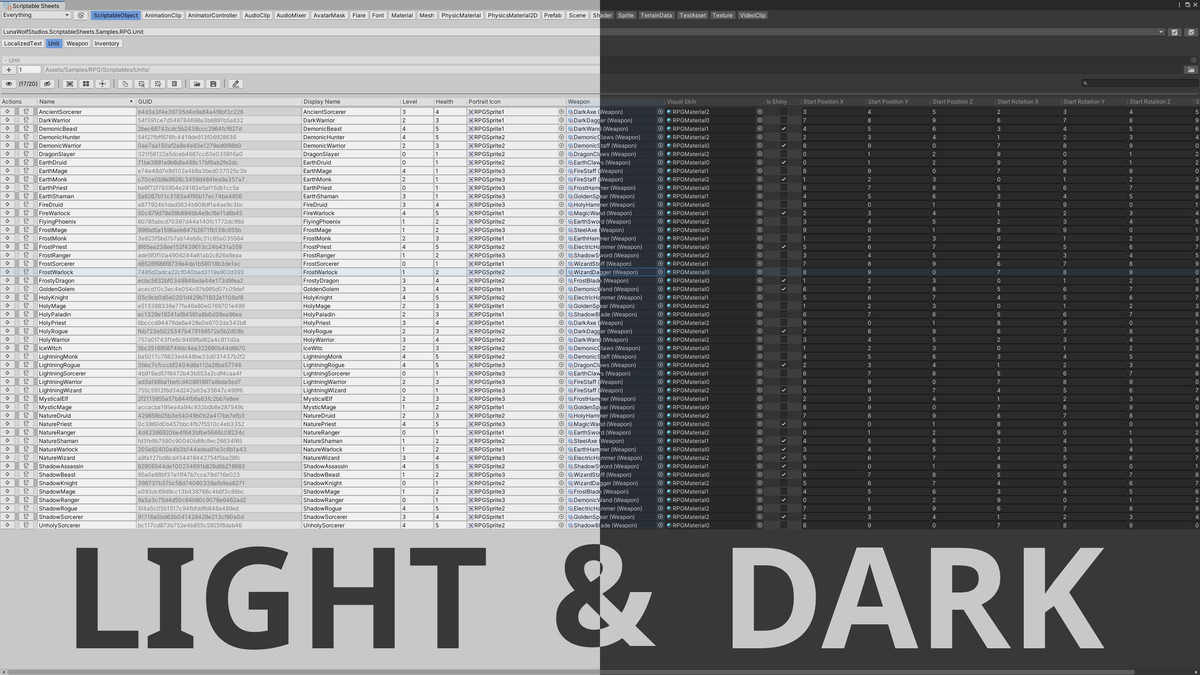
- Screenshot 10: A Scriptable Sheets table split between the Unity Editor's light and dark themes, under the words Light and Dark.JPG, 197 KB
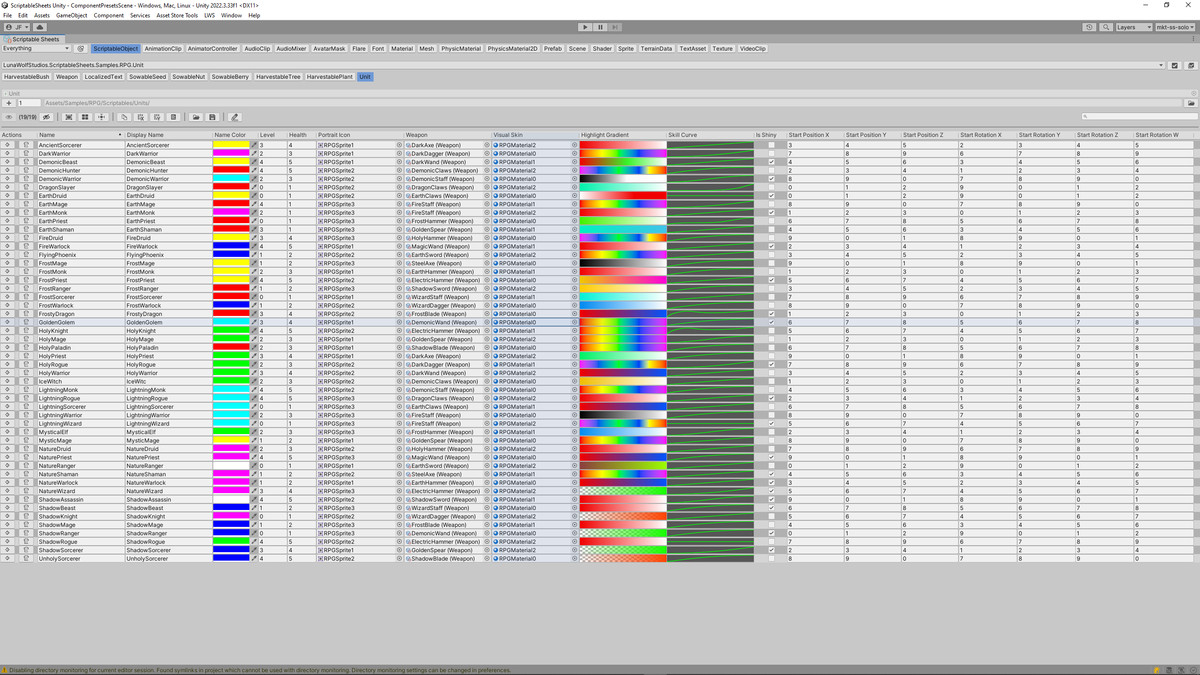
- Screenshot 11: A full-window Scriptable Sheets table of RPG units in the Unity Editor's light theme, with color, gradient, and curve columns.JPG, 247 KB
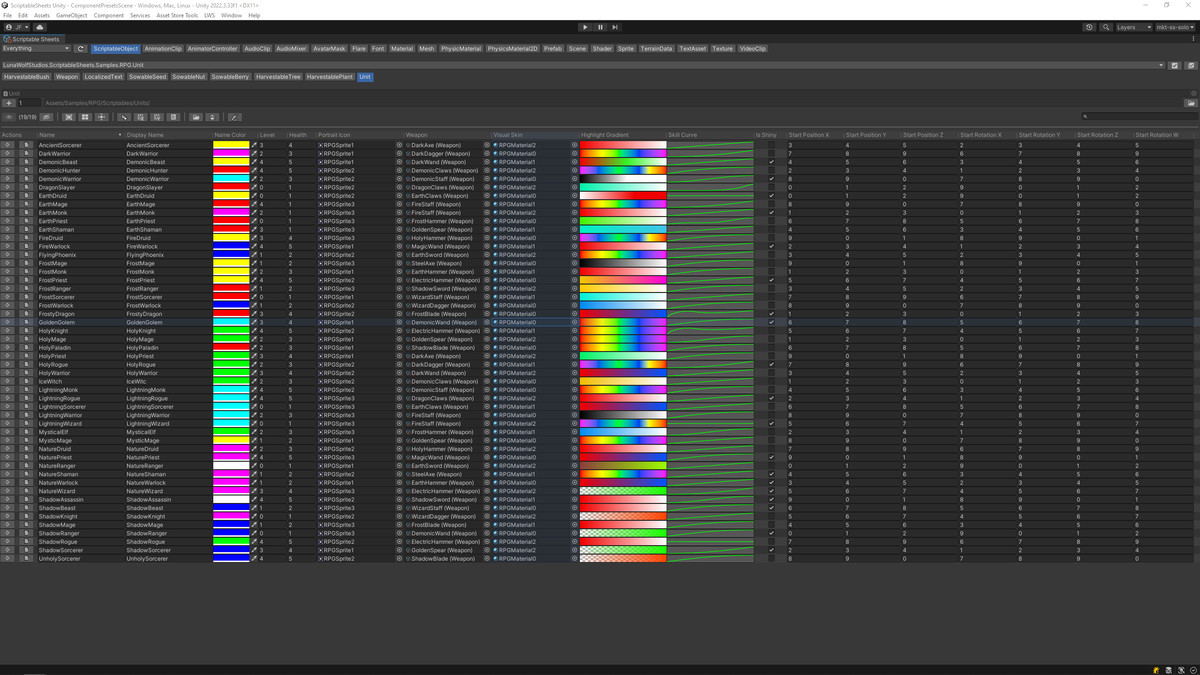
- Screenshot 12: The same full-window table of RPG units in the Unity Editor's dark theme.JPG, 216 KB
Logo and art
Everything on this page (ZIP, 3.4 MB)
Download Logo, transparent (PNG · 1372×569 · 70 KB)
Social image

Please do not alter the logo.
Awards and recognition
Selected quotes and articles
This is incredibly powerful for my kind of a workflow. Being able to see every single member of a scriptable object in one view lets me see the bigger picture much more easily. Highly recommend this one.
Unity Asset Store (opens in a new tab)Store review I can’t express enough how AMAZING this asset is! If you work with ScriptableObjects, or any serializable asset supported by this tool that you want to edit in List format, this is the asset to buy!
Unity Asset Store (opens in a new tab)Store review Quite powerful – especially for larger projects. If you organize data using scriptable objects in your project, this asset is going to be a huge time saver. Definitely a must have asset in my opinion!
Unity Asset Store (opens in a new tab)Store review This is an excellent tool and is well worth the spend for how much convenience it offers, I can already see how much it's going to help the asset management with the rest of my interdisciplinary team. There are a lot of thoughtful features and customizations, good documentation, and I like that the asset is actively maintained. As others have mentioned the developer is very quick to respond and supportive which is greatly appreciated.
Unity Asset Store (opens in a new tab)Store review I can make bulk changes instantly here, where it would take me 15-30 minutes before. This helps my development go faster, which is key for ensuring my game actually gets finished and published!
Unity Asset Store (opens in a new tab)Store review The most useful tool I have in my arsenal especially for my TCG game is Scriptable Sheets! The amount of pure hours I've saved just from navigating from SO folder to SO folder is just insane.
Unity Asset Store (opens in a new tab)Store review
Additional links
- Scriptable Sheets on lunawolfstudios.comThe product page on our site
- Scriptable Sheets on the Unity Asset Store (opens in a new tab)The listing, with reviews
- Documentation (opens in a new tab)Setup, settings, search filters, and FAQ
- Changelog (opens in a new tab)Every release since 1.0.0
- Video tutorials (opens in a new tab)The full playlist on YouTube
- Unity Discussions (opens in a new tab)The release thread on Unity's forum
- Luna Wolf Studios on the Asset Store (opens in a new tab)Our publisher page
- Luna Wolf Studios press kitStudio logos, photos, and facts
About Luna Wolf Studios
Luna Wolf Studios, LLC is an independent game and software studio in Newark, Delaware, founded in January 2015 by three Wilmington University students. It makes its own games and tools, including Sheep Tag 2, Hypno Halo, and Scriptable Sheets, builds games and software for clients, and publishes games by independent developers on Steam and Nintendo Switch.
Contact
- Press and business
- support@lunawolfstudios.com
- Studio press kit
- Logos, photos, and studio facts
- Projects and services
- Contact form
These files are provided for coverage of Scriptable Sheets. Please credit Luna Wolf Studios.
Writing about Scriptable Sheets?
Email us with anything this press kit does not answer.